
Communication- is one of the necessary and neglected skills at the same time. People have somehow lost the rhythm of effective communication. And this is very common in groups of friends, speaking at the stage, and in public places as well. But doing this in the workplace creates a blunder that leads to misunderstandings, slows down collaboration, and hampers employees’ productivity.
Your employees know how to connect online through platforms like Instagram, Facebook, X by scrolling, liking, commenting, and having personal chats. So, what if your business could come up with something similar in the workplace with an enterprise social network?
Let’s take a look at how this type of social network will be helpful for your business rather than traditional workplace methods.
What Is an Enterprise Social Network?
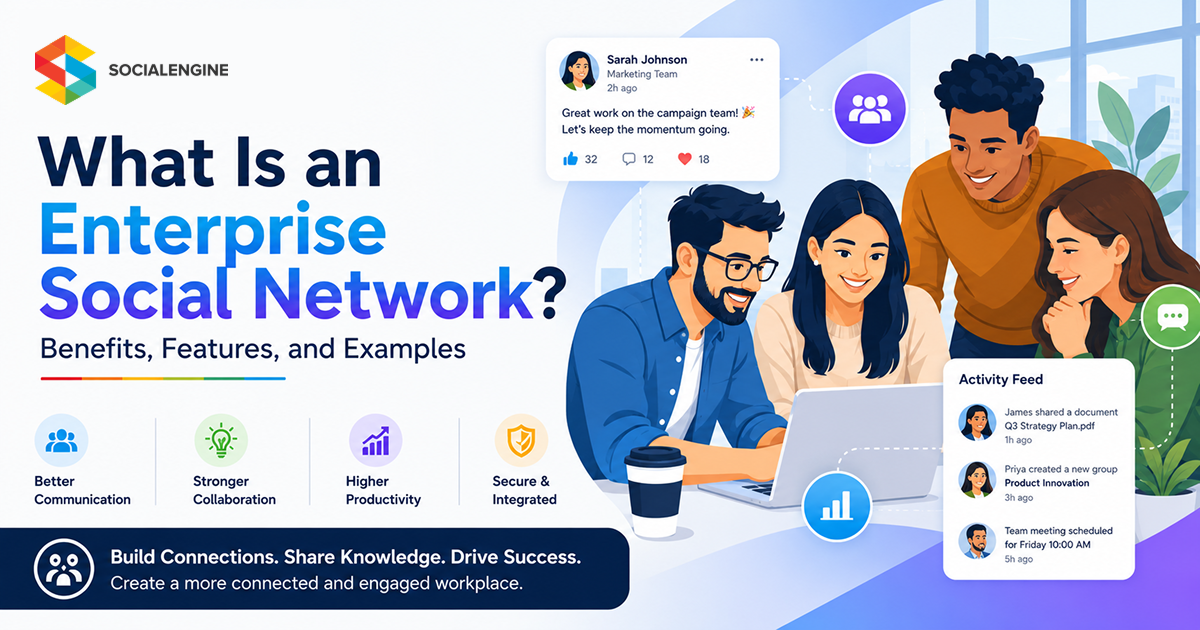
Enterprise social network (ESN) is a type of private space for your organisation, where your team can connect, collaborate and engage in one place. It works like a social media for your workplace where content related to your business is being uploaded, which helps the team stay together, work together more easily and build internal communication with them.
Features of an Enterprise Social Network
Now that we have understood what ESN is, let’s get into the following, what features does it has so many organisations are turning into it.
1. Profile and Employee Directory
With ESN, employees can list their current projects, specific skills, certifications, and areas of expertise in their profile instead of a basic job title and contact information. Team members can instantly find the right employees with a searchable directory across different departments. This will help to turn your company into a highly accessible network.
2. Social Interaction & Communication
When involved naturally in the discussions, workplace communication becomes more engaging. You can use features such as likes, comments, mentions, activity feeds, direct messaging, forums, etc. helps to keep everyone informed by decreasing the dependency on lengthy email threads
3. Culture Building and Engagement
ESN gives employees a space for recognition, receiving milestones and forming interest-based clubs. It also helps team leaders to directly communicate with the members by interactive posts, video updates and much more. By doing such activities and getting encouraging feedback and comments, the team feels heard and connected to the company’s mission.
4. Knowledge Sharing & Collaboration
When you get knowledge and collaboration in the same place, it makes the environment more participatory. In ESN, employees can share expertise, exchange ideas, and work together with discussion forums, file sharing, and a resource library to engage.
5. Integration and Security
To enhance the workflow, employees work with various tools every day. That is why seamless integrations are needed for efficiency with tools such as communication and project management platforms.
Also, security is the utmost important. Features like access controls, role-based permissions, and data protection measures help to keep sensitive information secure.
Benefits of Enterprise Social Networks
It is true that basic email and messaging apps are still widely used in corporate environments. Yet, an ESN is not the baseline part till today, but introducing one to your team can reduce operational costs and improve communication throughout the organisation.
- Skyrocket productivity: Save hours of searching for chats and emails. Employees can access data and connect to the right people, which leads to faster decision-making and higher productivity.
- Remove communication silos: Move conversations out of private chats and dive into a shared space where different teams’ interactions happen naturally.
- Support innovation: Innovation is one of the priorities of the organisation. With a social network, employees can crowdsource ideas, gather feedback, and tap into the brilliance of the entire team.
- Improve onboarding: Your ESN is a solid resource for your employees, and especially for new hiring also. They can find data related to the company, ask questions and connect with their peers when in doubt.
- Transparency: Company announcements, team updates regularly, and holding important conversations in your community keep transparency and build authenticity in the organisation.
Learn more about user engagement retention from our latest guide: How to Increase User Retention in Online Communities.
How to Select the Right Enterprise Social Network?
Before starting, you need to choose the best software for your community. Below are the pointers which you need to focus on while building your site.
1. Identify What is your Business Needs
Start by determining what you want from your social network. Think if you want to build employee engagement, increase company culture, or share updates. Having the right objectives will help you to find the right solutions.
2. Check User Experience
A platform is only useful if the employees actually use it, not just ignore it. Try to look for something intuitive, like a very user-friendly interface,so it is easy to move around, talk with other peers, share information, and take part in discussions, without needing a manual to understand how to use it.
3. Look for Collaboration & Customization Features
Your social network should work easily with the tools your employees already use in their daily lives. Having integrations with productivity suites, project management software, messaging and communication tools, HR platforms, and even CRM systems can help create a more connected digital workplace, so things feel less stressful and more together.
4. Review Privacy & Security
Since ESNs often hold sensitive business details, security should be a top priority. Try to check for role-based permissions, user access controls, data protection measures, and also compliance capabilities so that company info stays secure.
Examples of Enterprise Social Network
Using software for your enterprise social network depends on your organisation’s size, budget, and tech stack needs, which will help you to excel in the future for connecting frontline teams and removing departmental silos. Let’s see such examples:
- Microsoft Viva Engage: Best for organisations already utilising the Microsoft 365 ecosystem. It tends to slide right into the communication tools you use, so it’s a natural fit for leadership updates and those company-wide town hall moments where everyone needs to be on the same page.
- SocialEngine: One of the best options when you actually want to build and host your own bespoke social network, like from the ground up. It’s built so you can do complete source code customisation, custom white-label mobile applications, and even add feature integrations that match your internal ways of working.
- Workvivo: Blends social networking with a modern intranet. You get things like shout-outs, pulse surveys, and community spaces, which usually make it simpler for businesses to start using it without too much fuss.
- Slack: usually the best choice when your teams are moving fast, and you want real-time collaboration. It also has threaded conversations, external guest channels, and a pile of app integrations, so it ends up working like a social hub for a lot of modern startups and tech teams.
- Google Workspace: offers native social-style collaboration features inside its integrated smart canvas and space ecosystems, so the experience feels more unified.
Create a More Connected Workplace with SocialEngine
The success behind the most engaged enterprise social network is having the right software. That is why SocialEngine has been globally recognised as the best online community platform. The ready-made script has increased engagement retention by 70% among employees.
Let’s see what other features you will get in this community platform.
1. Profile Types
With SocialEngine, you can create customised profile types with personalised fields for your team as per their employment role, department, location, etc. You can assign a member-level privilege to access the information or feature within your community. This type of advantage will help you organise the platform and find the relevant information more easily.
2. Mobile Apps
Keep your peers connected through native mobile apps. Whether working remotely, travelling or in the office, employees keep coming back with real-time push notifications. Admins can manage menus with ease, choose from preconfigured colour schemes, and do much more to engage in discussions.
3. Control Privacy & Security
SocialEngine gives you control to set the privacy of your enterprise social community. Admins can assign role-based permissions, configure privacy settings in the profile and can also determine which posts can be viewed, which groups can be joined and collaborate on the go.
4. Collaboration Tools
Extend your organisation with powerful plugins where you will get engagement features such as events, forums, discussions, groups, blogs, photo album sharing, polls, and more. And the best thing is organization can also list the open positions in their business by listing them through our employment listing plugin.
5. Customization
SocialEngine gives you full control to customise your layout according to your business needs. Explore our themes and make changes in the header, footer, choose navigation menus and content within them. Additionally, change fonts and colour schemes to make the community either attractive or simple. You can also add your own custom CSS to design your site.
6. AI Powered
Let your employees bloom with creativity and save their time by generating high-quality images and text with our Generative AI Plugin. They can create content faster, brainstorm ideas, and generate visuals for documentation, announcements, and community engagement.
7. Advanced Analytics & Insights
Get valuable insights about how your employees are engaging through posts, comments, and likes from our robust admin panel. View how many emails were sent, and get updates on the latest news from your enterprise social network. These data will help you to optimise your community participation trends and make data-driven decisions to increase interaction.
Final Thoughts
Enterprise social network isn’t used to replace your tools, it’s just used to bridge the gaps that other platforms didn’t let you do. It acts as a digital spot where your employees feel lively and connect to their colleagues more vibrantly.
If you are looking to build your brand enterprise social network, then come to SocialEngine, a white-label platform where you do not need any coding knowledge and can easily set up within minutes and connect your organisation to your team on the same day.
Visit SocialEngine and try our live demo and start 14 days free trial!
FAQs
Yes, in SocialEngine, you can list job openings by using our employment listing plugin. Create custom categories, and your team can search with various filters, the hiring team can tag their listings with a location, and employees can view these locations directly on Google Maps.
SocialEngine helps you to get sorted out at every stage while building an enterprise social network. Check out our support plans or contact our team for any further assistance.
Absolutely, SocialEngine has a built-in language manager tool in the admin panel where business owners can create, upload, and modify translation packs using .CSV files.