
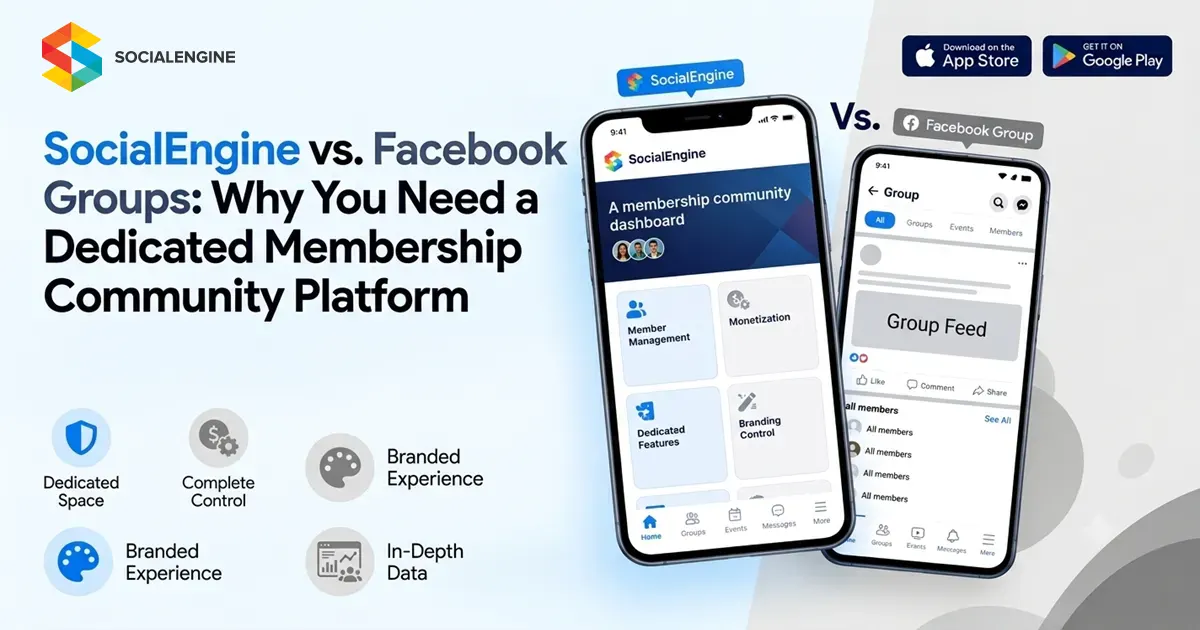
Introduction
Facebook Groups made online community building accessible to almost everyone.
You can create a group, invite members, publish posts, start discussions, share videos, and build conversations without developing a website or community platform from scratch. For many organizations and creators, that simplicity makes Facebook Groups a useful starting point.
But there is an important difference between building a community on someone else’s platform and building a platform for your own community.
A Facebook Group exists inside Facebook’s ecosystem. Your organization can manage the group and its conversations, but the underlying platform, product experience, infrastructure, and policies are controlled by Meta.
A dedicated membership community platform works differently. It gives you a branded environment designed around your members, content, access model, monetization strategy, and business requirements.
That’s where SocialEngine comes in.
SocialEngine provides a foundation for building and managing your own online community, with profiles, discussions, groups, messaging, events, memberships, monetization, administration, extensions, and branded experiences.
SocialEngine vs. Facebook Groups: What’s the Difference?
The easiest way to understand the difference is to look at control and ownership.
A Facebook Group is a community space within Facebook. You use Facebook’s infrastructure and product environment to bring members together.
SocialEngine is designed to help organizations create their own community environment.
That means your community can have its own:
- Brand identity
- Website
- Community structure
- Member profiles
- Groups
- Content
- Membership levels
- Permissions
- Monetization
- Administration
- Mobile experience
- Extensions and integrations
SocialEngine’s current positioning specifically focuses on helping organizations build a branded community instead of depending entirely on public social platforms.
What Does “Rented Audience” Mean?
The phrase “rented audience” is best understood as a strategic concept.
It doesn’t mean that members of a Facebook Group are literally rented.
It means that your relationship with the audience exists inside a third-party platform.
Your organization may invest years in:
- Growing a group
- Publishing content
- Encouraging conversations
- Answering questions
- Moderating members
- Building recognition
- Developing relationships
But the environment in which all of that happens still belongs to the platform provider.
That distinction matters because the platform determines the broader product experience, available functionality, policies, and technical environment.
An owned community takes a different approach.
You can use Facebook, Instagram, LinkedIn, YouTube, email, search, and other channels to attract people but your own community platform becomes the destination for deeper engagement.
Does That Mean Facebook Groups Are Bad for Communities?
No.
Facebook Groups can still be useful.
They provide an established environment that many people already understand. Members can participate in familiar ways, and organizations can use groups as a channel for discussion and audience engagement.
Meta itself has described Facebook Groups as places where publishers and organizations can build communities around shared interests and encourage conversation.
The bigger question is:
Should a Facebook Group be your entire community strategy?
For a small interest group, perhaps.
For a growing membership business, professional network, creator community, customer community, or organization, you may eventually need capabilities that go beyond what a general-purpose social network group is designed to provide.
Why Build a Dedicated Membership Community Platform?
A dedicated membership community platform gives you an environment built around your members rather than around a general social network.
With SocialEngine, you can create a community where members can:
- Create profiles
- Connect with other members
- Publish content
- Join groups
- Participate in discussions
- Send private messages
- Attend events
- Access courses
- Join paid memberships
- Subscribe to content
- Use marketplace and listing functionality
- Participate in live experiences
- Access community features through mobile apps
SocialEngine also provides administration tools for member management, permissions, content management, moderation, and platform settings.
1. Your Brand Becomes the Destination
A Facebook Group is ultimately part of Facebook.
Your community appears within Facebook’s broader interface and ecosystem.
A dedicated membership platform lets you create an environment centered around your brand.
You can shape:
- Navigation
- Layout
- Community sections
- Content areas
- Member spaces
- Branding
- Access rules
- Membership structure
SocialEngine’s white-label approach is specifically designed around creating a branded destination rather than directing members to a generic third-party social platform.
This can be particularly valuable for organizations that want their community to become a recognizable part of their overall digital presence.
2. You Control the Community Experience
Facebook has to support a huge range of audiences and use cases.
Your community doesn’t.
A professional association may need:
- Member directories
- Professional profiles
- Events
- Private groups
- Discussions
A creator community might need:
- Paid memberships
- Exclusive content
- Courses
- Live interaction
- Subscriptions
A customer community could prioritize:
- Product discussions
- Knowledge sharing
- Customer groups
- Events
- Support content
A niche community might need:
- Specialized groups
- Member profiles
- Content
- Discussions
- Membership levels
A dedicated platform allows the experience to be structured around those requirements.
3. Membership Becomes Part of Your Business Model
A community can be more than a place where people talk.
It can become a product.
With SocialEngine, you can build monetization around options such as:
- Paid memberships
- Subscription plans
- Paid content
- Marketplace activity
- Advertising
- Credits and rewards
These capabilities allow organizations to create different membership experiences and revenue models around the value they provide.
For example, you could create:
Free Community → Premium Membership → VIP Membership
Each level could provide different content, access, groups, events, or benefits.
4. You Get Greater Control Over Your Data and Infrastructure
This is one of the most important differences between using a third-party group and building your own platform.
With Facebook Groups, your community operates within Meta’s infrastructure and product ecosystem.
With SocialEngine, organizations can choose between Cloud and Self-Hosted deployment.
SocialEngine Self-Hosted is designed for organizations that want greater control over their hosting environment and software. Its current product information highlights unencrypted source-code access and ownership of content and user data.
That creates a different level of control over the technology behind your community.
It also comes with responsibility.
If you self-host, your organization or technical partner needs to take responsibility for areas such as hosting, backups, security, monitoring, updates, and infrastructure management.
For organizations that don’t want that responsibility, SocialEngine Cloud provides a managed alternative.
5. Your Community Can Go Beyond Posts and Comments
Facebook Groups are centered heavily around social interaction.
A dedicated community platform can combine several experiences in one place.
For example, a membership organization could offer:
- Member profiles
- Groups
- Discussions
- Events
- Courses
- Messaging
- Paid memberships
- Content libraries
- Directories
- Notifications
- Mobile apps
SocialEngine supports core community functionality while also providing applications such as courses, forums, marketplaces, listings, pages, businesses, crowdfunding, and contests.
The result is closer to a membership ecosystem than a single discussion group.
6. You Can Create Your Own Mobile Community Experience
Your community doesn’t have to live only on a desktop website.
SocialEngine currently provides branded iOS and Android app options, allowing organizations to extend their community into a dedicated mobile experience.
That can be useful for:
- Creator communities
- Membership organizations
- Professional networks
- Customer communities
- Private communities
- Niche social networks
Instead of asking members to return to Facebook every time they want to participate, your organization can provide another direct access point to its own community.
7. You Can Create More Structured Membership Experiences
A Facebook Group generally revolves around a shared group space.
A dedicated membership platform can create multiple layers of access and participation.
For example:
Free Members
Access to public discussions and selected content.
Premium Members
Access to private groups, courses, events, and exclusive content.
Professional Members
Access to professional networking spaces and specialized resources.
VIP Members
Access to premium content, private events, or exclusive experiences.
SocialEngine supports member levels, permissions, privacy controls, memberships, and subscriptions, allowing organizations to build a more structured membership model.
8. You Don’t Have to Abandon Facebook
Moving toward an owned community doesn’t mean deleting your Facebook presence.
In fact, the two can serve different purposes.
Think of your digital ecosystem like this:
Facebook / Instagram / LinkedIn
↓
Awareness & Discovery
↓
Your Website
↓
Membership Conversion
↓
Your Community Platform
↓
Engagement, Retention & Monetization
Social media can help you reach people.
Your own community can give those people a place to build deeper relationships with your organization and each other.
This creates a healthier distinction between audience acquisition and community ownership.
SocialEngine vs. Facebook Groups: Feature Comparison
| Capability | Facebook Groups | SocialEngine |
| Group discussions | Yes | Yes |
| Member profiles | Yes | Yes |
| Dedicated community website | No | Yes |
| Own branding | Within Facebook environment | Extensive customization |
| Membership levels | Limited | Supported |
| Paid memberships | Platform-dependent | Supported |
| Subscription plans | Not the core Group model | Supported |
| Paid content | Limited/indirect | Supported |
| Events | Yes | Yes |
| Private messaging | Available within Facebook ecosystem | Built-in community messaging |
| Courses | Not a core Group feature | Supported through applications |
| Marketplace/listings | Facebook ecosystem dependent | Supported |
| White-label community | No | Yes |
| Self-hosted option | No | Yes |
| Source-code access | No | Available with Self-Hosted |
| Infrastructure control | Meta-controlled | Cloud or Self-Hosted options |
| Branded mobile apps | Facebook app | Branded iOS/Android options |
| Plugins/extensions | Platform-controlled | Supported |
| Community monetization | Platform-dependent | Configurable |
The key difference isn’t simply the number of features.
It is who controls the environment in which those features operate.
What SocialEngine Gives You Beyond a Facebook Group
The real difference between SocialEngine and Facebook Groups is not about trying to reproduce Facebook.
It is about building something that belongs to your organization.
SocialEngine provides a foundation for:
- Branded communities
- Membership platforms
- Creator communities
- Professional networks
- Customer communities
- Business communities
- Private communities
- Niche social networks
The platform can be configured around your community structure, member permissions, content strategy, monetization approach, and growth plans.
You can also extend the platform through applications, integrations, plugins, and customization as your requirements evolve.
When Should You Consider Moving Beyond a Facebook Group?
You don’t need to move simply because you have a Facebook Group.
But there are some practical signs that a dedicated platform may make sense.
Your community is becoming a business
If memberships, subscriptions, events, courses, or paid content are becoming important revenue sources, you may need more control over the member experience.
You want your own brand destination
If you want members to associate the community primarily with your organization rather than Facebook, an owned platform can provide that environment.
You need more structured access
Different member levels, private groups, permissions, and content access may require a more dedicated system.
You need specialized functionality
Courses, marketplaces, directories, events, live experiences, or other applications can turn a simple group into a broader community ecosystem.
You want greater control
If data, infrastructure, customization, or source-code access matter to your organization, a dedicated platform can provide options that a third-party group cannot.
How to Move From a Facebook Group to Your Own Community
The transition does not have to happen all at once.
Step 1: Identify the limitations
Ask what your Facebook Group cannot currently provide.
Is it:
- Branding?
- Monetization?
- Member management?
- Custom functionality?
- Data control?
- Mobile experience?
- Multiple membership levels?
Start there.
Step 2: Define Your Membership Model
Decide whether your community will be:
- Free
- Paid
- Subscription-based
- Tiered
- Hybrid
Step 3: Build the Core Community
Start with the features members actually need:
- Profiles
- Discussions
- Groups
- Content
- Messaging
Step 4: Add Your Brand
Create a community experience that reflects your organization’s identity.
Step 5: Expand the Platform
As your community grows, add:
- Events
- Courses
- Listings
- Marketplace
- AI
- Monetization
- Mobile apps
- Integrations
Step 6: Keep Using Social Media
Continue using Facebook and other channels for discovery, promotion, and audience acquisition.
Step 7: Make Your Own Community the Destination
Give people reasons to move from simply following your social presence to becoming active members of your own community.
SocialEngine Cloud or Self-Hosted?
SocialEngine gives organizations two deployment approaches.
SocialEngine Cloud
Cloud is designed for organizations that want a managed environment rather than setting up and maintaining their own server.
SocialEngine’s current Cloud offering includes hosting infrastructure, updates, support, backups, SSL, CDN capabilities, community functionality, plugins, and mobile options.
SocialEngine Self-Hosted
Self-Hosted is designed for organizations that want greater control over the hosting environment and software.
The current offering includes access to unencrypted source code and supports deeper customization of the platform.
This gives organizations a choice between managed convenience and greater infrastructure control.
The Bigger Shift: From Audience Reach to Community Ownership
This is ultimately bigger than Facebook Groups.
It is about how organizations think about digital audiences.
Social platforms are excellent for:
Reach → Discovery → Awareness → Traffic
But an owned community can support:
Membership → Engagement → Relationships → Retention → Revenue
Those aren’t competing strategies.
They can work together.
You can use social platforms to reach new people while building your own environment where members can participate more deeply.
That changes the role of social media.
Instead of being the place where your entire community must live, it becomes one of the channels that helps people discover your community.
Conclusion
Facebook Groups can be a practical way to start building a community.
But as your audience grows, the question changes from:
“Where can I gather my audience?”
to:
“Where do I want my community to live?”
A dedicated membership community platform gives you more control over the environment, branding, member experience, monetization, structure, and technology behind your community.
SocialEngine is built for organizations that want to create that owned environment. You can build profiles, discussions, groups, messaging, events, courses, memberships, monetization, mobile experiences, and more under your own brand.
And with both Cloud and Self-Hosted options, you can choose how much infrastructure responsibility and control you want.
The strategy doesn’t have to be Facebook or SocialEngine.
It can be:
Use social media to reach people.
Use your own platform to build relationships.
Build a community that belongs to your brand.
Frequently Asked Questions
Yes. SocialEngine can be used to build a dedicated, branded community platform for organizations that want more control over their community experience, membership structure, branding, monetization, and infrastructure.
Yes. Facebook can remain an important acquisition and awareness channel while your SocialEngine community becomes the owned destination for deeper member engagement.
SocialEngine’s Self-Hosted materials state that customers own their content and user data. Self-Hosted also provides access to unencrypted source code.
Yes. SocialEngine supports paid memberships, subscriptions, paid content, advertising, marketplace activity, credits, and rewards.
Yes. SocialEngine supports private communities, groups, permissions, member levels, and membership-based experiences.
SocialEngine provides branded iOS and Android app options as part of its product ecosystem.
Yes. SocialEngine supports customization, extensions, integrations, plugins, themes, and administrative configuration. Self-Hosted additionally provides access to unencrypted source code.