
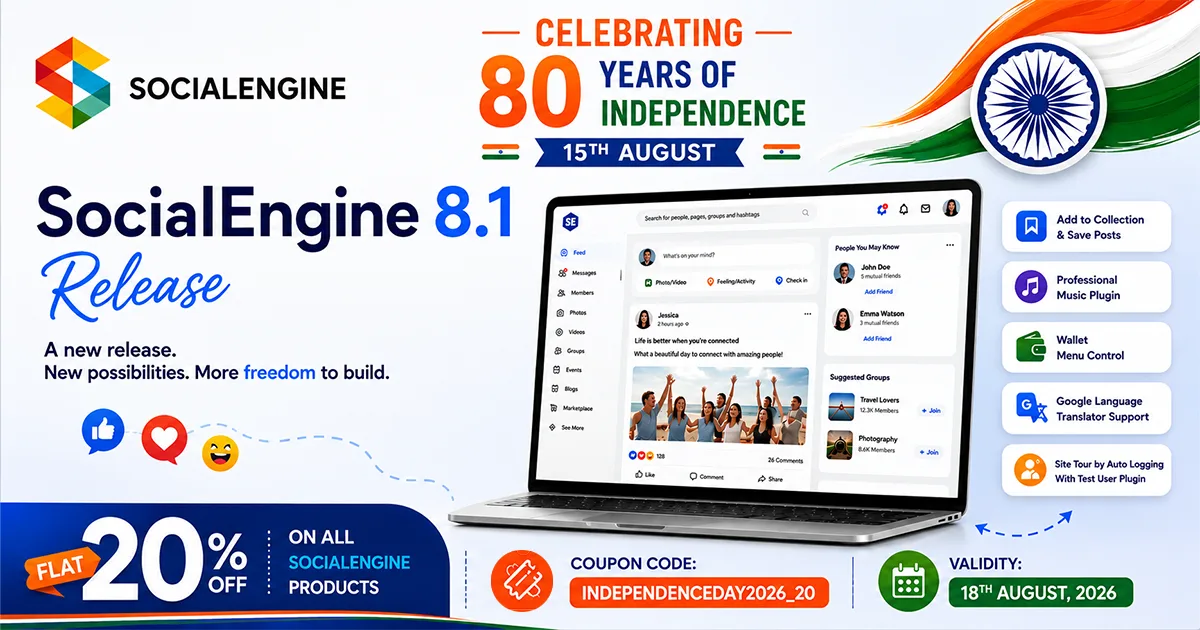
A new release. New possibilities. More freedom to build.
SocialEngine 8.1 introduces new features and improvements designed to make your online community platform more engaging, manageable, and ready to grow.
Whether you’re building a social network, membership community, professional network, creator platform, or any niche community, SocialEngine 8.1 gives you more ways to shape the experience around your audience under your own brand.
India is celebrating 80 years of independence this August 15, a milestone that reminds us of the value of freedom, choice, and the ability to shape our own future.
To celebrate this special occasion, we’re giving you another reason to build on your own terms. Get a flat 20% OFF on all SocialEngine products for a limited time.
Use Coupon Code: INDEPENDENCEDAY2026_20
Valid Until: 18th August, 2026
What’s New in SocialEngine 8.1?
Create Engaging Experiences
Give members more ways to interact with content and make your community feel more personal.
Add to Collection & Save Posts
Members can now save posts and add content to their collections to make it easier to keep track of content they want to revisit.
Music Sharing Plugin
Bring richer music experiences into your community with the new Music Sharing Plugin.
More Control for Community Admins
SocialEngine 8.1 also brings new admin control that makes managing your platform easier.
Wallet Menu Control
A new setting lets admins enable or disable the wallet menu directly through the menu editor.
Google Language Translator Support
The Language Manager now supports Google Language Translator that give admins another way to manage multilingual community experiences.
Site Tour by Auto Logging With Test User Plugin
Simplify product demonstrations and onboarding with the new Site Tour by Auto Logging With Test User Plugin.
Check out the usage with our demo account:
Demo: https://demo.socialengine.com
Admin Demo: https://demo.socialengine.com/admin
Demo Login Details: test1@socialengine.com / SEDemo123!
Improvements:
- Improved – Placed the search options widget on the left side on the search page.
- Improved – Increased the task timeout and removed the unused tasks.
- Improved – Show the ID of every widget in the class name.
- Improved – SVG image support with the File & Media manager section in the admin panel.
- Improved – Updated Facebook SDK in Android mobile apps.
- Improved – Updated the OpenAI models in the Generating AI Plugin
Bugs Fixed:
- Fixed – Blank phrases are showing in the admin panel.
- Fixed – Support ticket page is not getting opened correctly in the admin panel.
- Fixed – Members browse page search widget is not showing in mobile browsers.
- Fixed – Robot tag setting is not getting applied in SEO settings.
- Fixed – Hide Emoticons tab from the settings in the admin panel.
- Fixed – Notification delete option is not showing in the notification dropdown.
- Fixed – Single quote option is showing as an HTML tag in the status post box.
- Fixed – UI is broken for members on the browse page in map view.
- Fixed – All the membership subscription plans are not showing in the mobile apps.
- Fixed – Settings menu is redirecting users to the Support ticket page in the Pulse theme mobile view.
- Fixed – Add item is showing a log error in the menu editor section in the admin panel.
- Fixed – When we sign up with CAPTCHA and enter the wrong captcha then it is getting removed from the sign-up page.
- Fixed – Videos posted from the iOS app status post box are not showing on the website.
- Fixed – Membership plans are not displayed after an incomplete payment.
- Fixed – A log error is showing when users upload a video or more size than set in the Storage Quota setting.
- Fixed – Email verification is missing from account email change.
- Fixed – User count is mismatched with the users list on the Manage Networks page in the admin panel.
- Fixed – Selected verification icon is not showing with usernames.
Built for Community Owners, Backed by Their Experience
We can tell you what SocialEngine can do. Our customers can tell you what it’s like to build with it.
Building a community platform is a long-term commitment. You need more than features, you need a platform you can rely on as your audience, content, and goals evolve. That’s why the experience of the people already building with SocialEngine matters.
I have my own brand, and I needed a trustworthy community platform to make my online presence more visible, and SocialEngine has done that for me! I got the flexibility to have my logos, color everything under my own brand
– Marcus Reid, Creator Community
Highly, highly recommended for the modern community builders.
– Elena Voss, Niche-based community
I have used their monetization setting in my social community, and VIOLA!! It made a turnover of 10% within a week. I recommend using SE as it can expand your business more than how you envision have envision your brand. Thanks to the team also that has been incredibly supportive.
– Galleria Mathew, Social & Lifestyle Community
Upgrade Your Community Platform to 8.1
Clients with Annual Upgrade Access can download version 8.1 from our client dashboard. To purchase the upgrade access, Click Here.
As always, we highly encourage all users to do a complete backup of both files and the database before performing an upgrade. Please have the backup performed by your host or a developer if you’re not comfortable performing it yourself.
Fresh installs should follow our installation tutorial, or you can order an installation, and our team will get it installed in no time.
To upgrade from a previous version to 8.1, please view our upgrade documentation, but if you want our experts to perform an upgrade on your site, then you can purchase our required Upgrade Service.