
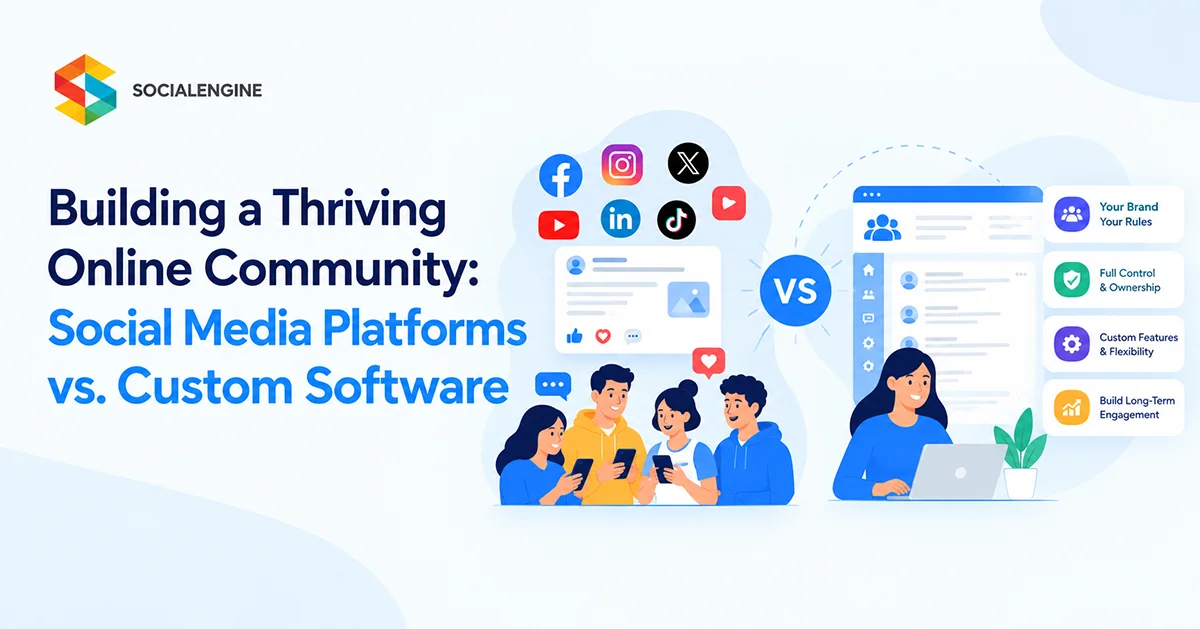
Introduction: Where Should You Build Your Online Community?
Building an online community has never been easier. You can create a Facebook Group, start a Discord server, launch a LinkedIn Group, or use a dedicated community platform. Each option offers a way to bring people together around shared interests, professional goals, products, or experiences.
But there is an important difference between building an audience on someone else’s platform and creating a community you control.
Social media platforms can help you reach people quickly, encourage conversations, and introduce your brand to new audiences. However, your community operates within another company’s rules, design, features, and distribution systems. Changes to those systems can affect how members discover content and interact with your community.
Custom community software offers a different approach. Instead of fitting your community into an existing social network, you build a dedicated website around your audience, brand, goals, and business model.
So, which option makes more sense?
The answer depends on your priorities. If your main goal is discovery and casual interaction, an established social media platform may be enough. If you want a branded destination with greater control over member experiences, functionality, and monetization, custom community software deserves serious consideration.
Social Media Platforms vs. Custom Community Software: What’s the Difference?
Both approaches help people connect online, but they give community owners different levels of control.
What Are Social Media Community Platforms?
Social media platforms let you create groups, publish posts, share media, host discussions, and communicate with members inside an existing network. People may already have accounts, making it easier to invite them into a conversation.
These platforms can be useful for:
- Building awareness around a brand, product, or cause.
- Connecting with an existing social media audience.
- Sharing announcements, updates, and educational content.
- Starting discussions without developing a separate website.
- Testing whether an audience is interested in a community concept.
The trade-off is that the community remains part of the host platform. Your branding, available features, content distribution, and member experience are shaped by its tools and policies.
What Is Custom Community Software?
Custom community software allows you to create a dedicated online community around your own brand and objectives. Depending on the solution, you can configure member profiles, activity feeds, groups, discussions, messaging, events, content libraries, memberships, and other features.
A custom community website builder makes this approach more accessible by providing an established foundation rather than requiring every feature to be coded from scratch.
Businesses and community owners can build a branded social network, customize the member experience, extend functionality, and choose a hosting approach that suits their requirements.
The key distinction is simple: social media gives you a place inside an existing network, while custom community software helps you create a destination of your own.
Social Media Platforms vs. Custom Software: A Side-by-Side Comparison
| Factor | Social Media Platforms | Custom Community Software |
| Initial setup | Usually quick | Requires configuration and planning |
| Branding | Limited to the host platform’s design | Greater control over brand identity and layout |
| Content distribution | Influenced by platform systems and settings | More control over how content is organized and presented |
| Member experience | Follows the host platform’s interface | Can be tailored to your audience |
| Features | Limited to the host platform’s tools | Can include selected community features and extensions |
| Member data and infrastructure | Governed by the host platform’s policies and systems | Greater control may be possible, especially with self-hosted software |
| Monetization | Depends on available platform tools and rules | Can support configured memberships, subscriptions, paid content, and other revenue models |
| Integrations | Limited to supported integrations | Depends on APIs, plugins, extensions, and development options |
| Maintenance | Platform provider manages the underlying service | Depends on whether the solution is hosted or self-hosted |
| Long-term flexibility | Subject to platform changes | Greater flexibility to evolve the experience |
Custom software does not automatically provide unlimited control. Capabilities depend on the product, hosting model, license, integrations, and technical setup. Still, it can offer a more flexible foundation for a community that needs to grow beyond basic group discussions.
The Limitations of Building a Community Entirely on Social Media
Social media platforms remain valuable. The issue is not that they are ineffective; it is that they are designed to serve a broad network, not necessarily the specific needs of your community.
Here are some limitations to consider before making one platform the center of your long-term community strategy.
1. Your Reach Can Depend on Platform Algorithms
Publishing a useful post does not guarantee that every member will see it. Content ranking and recommendation systems influence what appears in feeds, and the rules can change over time.
For a business community, this creates uncertainty. You may have hundreds or thousands of interested members, but you cannot assume every announcement, resource, or discussion will reach them.
A dedicated community website gives you more control over the structure of the member experience. You can organize discussions, highlight important content, create topic-specific spaces, and use available notifications or communication tools.
That does not guarantee engagement or visibility. Members still need a reason to return. But your entire community experience is less dependent on fitting every interaction into a third-party social feed.
2. Your Brand Shares Space With the Platform
When people participate in a social media group, they are interacting with your community inside someone else’s product.
The platform’s logo, navigation, interface, and other features remain part of that experience. Your community may have a recognizable name, but the overall environment is not entirely yours.
A custom community website lets you create a more consistent branded experience, from the domain and visual identity to member profiles and content organization.
This can be particularly important for:
- Professional associations.
- Paid membership communities.
- Customer education programs.
- Creator-led communities.
- Private networks for employees, partners, or clients.
The goal is not branding for its own sake. It is to make the community feel like a natural extension of your organization rather than another group people happen to visit.
3. Community Features May Not Match Your Business Model
A simple discussion group may be sufficient for sharing updates. But a growing community might need much more: paid memberships, online courses, member directories, events, private messaging, premium content, or a marketplace.
A social media platform may provide some of these functions, but you have limited influence over which features are available and how they work together.
Custom community software gives you more room to design the experience around your goals. You can choose the features that matter most, add new capabilities when needed, and avoid making every business process dependent on a single social media group.
4. Member Relationships Can Become Fragmented
A social media group might host conversations while your website handles courses, email software sends updates, a separate service manages payments, and another tool runs events.
This setup can work, but members may need to switch between different accounts and experiences. Your team may also need to manage multiple tools, overlapping data, and separate workflows.
An integrated community platform can bring more of these activities into one branded environment. Depending on the software, members can connect, learn, attend events, access content, and participate in discussions without constantly moving between unrelated destinations.
5. Your Long-Term Strategy Depends on Someone Else’s Decisions
Social media platforms can change their features, moderation rules, business policies, and account requirements. They may also remove or restrict content under their policies.
These changes are not always harmful, and established platforms invest in maintaining their services. However, a community owner should understand the risks of relying on a third party for every important interaction.
A dedicated community website creates another place where members can gather and where your organization can develop its own community strategy.
For greater infrastructure control, a self-hosted solution may be appropriate. However, data ownership, software licensing, backups, security, and migration rights should always be checked against the provider’s actual terms.
Why Custom Community Software Can Be the Better Long-Term Choice
A custom community platform is not simply a social media group with a different logo. It can become a central place for relationships, resources, learning, communication, and business activity.
1. Build Around Your Audience, Not a Generic Network
A thriving community starts with a clear purpose. A professional network has different needs from a creator membership, customer support community, or private organization.
Custom community software allows you to shape the experience around those differences.
For example, a professional association might prioritize member directories, discussion spaces, events, and private groups. A creator community might need premium content, courses, subscriptions, and direct communication. A customer community might focus on product discussions, onboarding resources, knowledge sharing, and feedback.
Instead of forcing every audience into the same structure, you can choose features that support the way your members actually interact.
2. Create a Consistent Branded Experience
A custom community website can use your organization’s name, domain, design, and visual identity. You can organize navigation around the activities that matter most to your members.
This consistency helps people understand where to find resources, how to participate, and what makes the community different.
With a white-label community platform, you can often customize more of the experience without building the entire system yourself. The exact level of customization depends on the software and plan.
3. Connect Discussions With Useful Community Features
A community becomes more valuable when members can do more than publish posts and leave comments.
Depending on your goals, your website might include:
- Member profiles and connections to help people find others with similar interests.
- Activity feeds and discussions to support ongoing conversations.
- Groups and private spaces for focused interests, teams, or membership levels.
- Messaging and chat for direct and real-time communication.
- Events for webinars, meetups, workshops, and member sessions.
- Courses and learning resources to support education and skill development.
- Directories and marketplaces to help members discover people, services, or products.
You do not need to launch every feature at once. Start with the few capabilities that make participation easier, then expand as the community develops.
4. Develop More Flexible Monetization Options
For some organizations, a community is primarily about support and connection. For others, it is also part of a sustainable business model.
Depending on the platform and its integrations, custom community software can support revenue through:
- Paid memberships and recurring subscriptions.
- Premium discussions or exclusive content.
- Online courses and educational programs.
- Paid workshops and member events.
- Marketplace listings or other paid services.
- Advertising or sponsored community placements.
The right model depends on what members value. Charging for access before the community offers a clear benefit can make growth harder, so establish engagement and trust before introducing monetization where possible.
A dedicated platform gives you more flexibility to experiment with the business model instead of relying entirely on the monetization options offered by a social network.
5. Make More Informed Decisions About Community Growth
Community growth is not just about gaining members. You also need to understand whether people are returning, participating, forming relationships, and finding value.
Depending on your platform, you may be able to analyze registrations, activity, group participation, course progress, event attendance, and membership performance.
These signals can help you identify which topics generate useful conversations, where members become inactive, and which activities deserve more attention.
Analytics alone will not create a thriving community, but they can help you make better decisions about programming, content, and member support.
Social Media Is Still Useful: Use It as a Discovery Channel
Choosing custom community software does not mean abandoning social media.
In many cases, the strongest strategy combines the reach of established platforms with a dedicated community destination.
Think of social media as a place to introduce people to your ideas. Your branded community can then provide the deeper experience: focused discussions, member resources, learning, events, and ongoing relationships.
For example, a creator might publish short educational posts on social media, invite interested followers to join a free community, offer useful discussions and resources, and later introduce a paid membership or course.
A B2B company might share industry insights on LinkedIn, direct customers to a dedicated customer community, and use that space for product education, peer support, feedback, and events.
This approach has two advantages:
- You continue to benefit from the discovery opportunities of social media.
- You build a separate destination for relationships and experiences that matter to your organization.
Your social media audience is not automatically transferable to a new website. You still need to invite members, explain the value of joining, and give them reasons to participate. But the two channels can serve different purposes rather than competing with each other.
Custom Community Website Builder vs. Building From Scratch
If you decide to create your own community website, you have another decision to make: should you develop everything from scratch or use an established community website builder?
Both approaches can work, but they involve different trade-offs.
| Consideration | Custom Development From Scratch | Established Community Website Builder |
| Initial development | Requires designing and developing core functionality | Starts with existing community capabilities |
| Time to launch | Usually longer | Often faster, depending on customization |
| Feature control | Can be extensive with the right team and budget | Depends on supported settings, plugins, APIs, and source access |
| Technical resources | Usually requires ongoing developer involvement | May reduce the amount of custom development needed |
| Maintenance | Your team or vendor maintains the system | Depends on hosted vs. self-hosted deployment |
| Best fit | Highly specialized requirements | Communities that need established features and room to customize |
Building from scratch makes sense when your community requires unusual workflows, highly specialized integrations, or a product experience that existing software cannot support.
An established builder can be a more practical choice when you need common social networking features and want to focus resources on your audience, content, and growth.
The important point is to evaluate the software against your requirements rather than assuming every prebuilt platform is inflexible or every custom project is automatically superior.
How to Choose the Right Online Community Platform
Before investing in a platform, answer a few practical questions.
Define the Purpose of Your Community
Be specific about why people should join. Is the community designed for professional networking, customer support, education, paid membership, creator engagement, or a shared interest?
Your answer should guide the features you choose.
Identify Your Essential Features
Separate must-have capabilities from features you might add later. For an early-stage community, member profiles, discussions, groups, notifications, and moderation may be enough. A paid education community may also need courses, subscriptions, and progress tracking.
Avoid paying for complexity before you understand what your members need.
Decide How Much Control You Need
Consider your branding requirements, customization needs, integrations, member data, and hosting preferences.
A hosted community platform can reduce infrastructure responsibilities. A self-hosted option can provide greater control over the hosting environment and custom code, but it also requires more attention to security, updates, backups, and maintenance.
Read the provider’s documentation and terms carefully before making assumptions about data ownership or portability.
Review Monetization and Future Growth
Even if you plan to offer free access initially, think about what the community could become. You might later add paid memberships, events, courses, premium content, or branded mobile apps.
Choose software that supports a realistic growth path without forcing you to rebuild the community as soon as your needs change.
Test the Member Experience
A platform may offer an impressive feature list but still feel difficult to use. Test the experience from a member’s perspective:
- How easy is registration?
- Can members find relevant discussions?
- Is it simple to join groups and attend events?
- Do notifications help people stay informed without overwhelming them?
- Does the experience work well on mobile devices?
- Can administrators moderate activity and support members efficiently?
The best platform is not necessarily the one with the most features. It is the one that makes the right activities easy for your members.
How SocialEngine Supports a Branded Online Community
For organizations that want to build beyond a group on an existing social network, SocialEngine provides a foundation for creating a dedicated community website.
Rather than starting with an empty project, you can configure an established set of community features and extend the experience around your goals.
Community and Member Interaction
Create member profiles, connections, activity feeds, discussions, and community spaces that encourage people to participate and develop relationships.
Groups, Events, and Communication
Support focused discussions through groups, bring members together through events, and help them communicate through messaging and chat capabilities.
Apps and Additional Experiences
Depending on your requirements and selected extensions, you can add experiences such as courses, forums, listings, marketplaces, and other community applications.
Monetization and Membership
Build business models around paid memberships, subscriptions, premium content, or other supported revenue opportunities.
Branding and Customization
Adapt the website to your brand and audience. Available customization options depend on the chosen configuration, plugins, hosting model, and development requirements.
Hosted and Self-Hosted Options
Your infrastructure requirements matter. A hosted option can reduce server-management responsibilities, while self-hosted deployment may suit organizations that need greater control over their environment.
Common Mistakes to Avoid When Building an Online Community
Even the right platform will not make a community thrive automatically. Several mistakes can undermine the experience.
Launching without a clear purpose. If people cannot explain why the community exists or whom it serves, they are less likely to return.
Adding too many features too early. A crowded interface can make participation confusing. Start with the activities that matter most and expand when there is a clear need.
Treating membership numbers as the only success metric. Registrations are useful, but repeat participation, meaningful conversations, member satisfaction, and retention tell you more about community health.
Expecting members to create all the content. New communities often need active facilitation. Publish useful prompts, welcome new members, answer questions, and recognize valuable contributions.
Relying entirely on social media for discovery. Social channels can help attract people, but maintain other appropriate discovery routes, such as search-friendly resources, email, partnerships, and referrals.
Ignoring moderation and privacy. Establish clear guidelines, permissions, reporting processes, and moderation practices that match the community’s purpose and risk level.
Moving platforms without a transition plan. If your community already exists on social media, explain why the new destination is valuable, communicate the change clearly, and give members a simple way to join.
The Real Goal: Build a Community That Can Grow With You
A thriving online community is more than a collection of accounts or a busy discussion feed. It is a place where people find useful information, build relationships, share experiences, and have a reason to return.
Social media platforms can be excellent for discovery and quick engagement. They are often the easiest place to start. But when your goals expand to include a distinct brand, integrated features, membership revenue, or a more controlled member experience, a dedicated community website can be a stronger long-term foundation.
You do not necessarily need to choose one and abandon the other. Use social media to reach potential members, then give interested people a dedicated space where your community can develop on its own terms.
The best community strategy is not simply about choosing a platform. It is about creating an experience that members value enough to keep coming back to.
Frequently Asked Questions
It depends on your goals. Social media platforms are useful for discovery and quick setup. Custom community software is often a better fit when you need a dedicated brand experience, more flexible features, membership options, or greater control over how your community operates.
A custom community website builder is software that helps you create a dedicated online community using existing functionality and configuration tools. Depending on the product, you can customize branding, member profiles, discussions, groups, events, memberships, and additional features without developing the entire platform from scratch.
Yes. Some community website builders offer configuration tools, themes, and plugins that let you launch without writing the entire application yourself. Advanced customization or specialized integrations may still require technical assistance.
For many organizations, yes. Social media can help people discover your brand, while your community website provides a dedicated place for deeper discussions, resources, events, courses, and ongoing member relationships.
Costs vary based on the software, hosting model, customization, integrations, mobile requirements, and ongoing maintenance. Using established community software can reduce the need to develop common features from scratch, but you should compare the full cost of setup and long-term operation.
Common essentials include member profiles, discussions, activity feeds, groups, notifications, search, and moderation tools. Depending on your business model, you may also need events, messaging, courses, paid memberships, analytics, integrations, or mobile apps.
Yes. Depending on the platform and its integrations, you may be able to offer paid memberships, subscriptions, premium content, courses, events, or marketplace services. The model should reflect the value members receive rather than simply adding a payment requirement.
Consider your technical resources, budget, customization needs, security responsibilities, and desired infrastructure control. Hosted software generally reduces server-management work, while self-hosted software can offer greater control but requires more operational responsibility.