
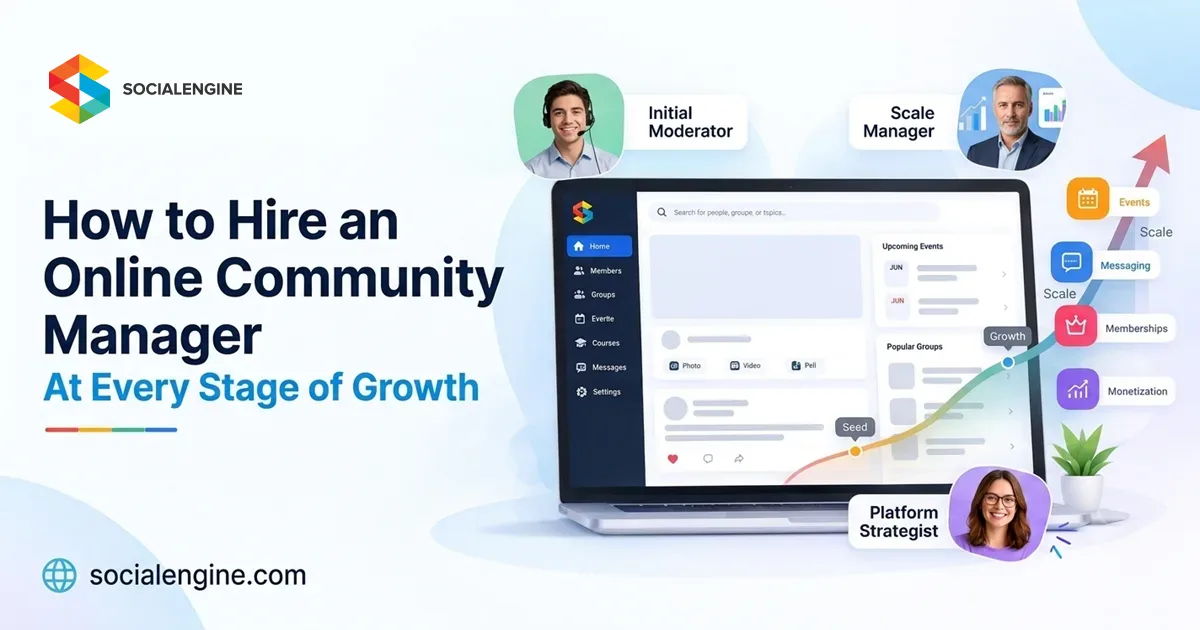
Building an online community is not simply about attracting more members. As your community grows, you need people who can keep conversations active, support members, encourage participation, manage problems, and create an experience that makes people want to return.
That is where an online community manager becomes important.
A small community may only need one person managing conversations and member questions. As the community expands, the role can evolve into a larger community team responsible for moderation, content, engagement, events, member support, analytics, and community strategy.
But when should you hire an online community manager? What should they do at each stage? And how can you build a community management team without hiring too early or too late?
This guide explains how to approach community management at every stage of growth and how an online community platform like SocialEngine can help your team manage a growing member base more efficiently.
What Does an Online Community Manager Do?
An online community manager is responsible for creating and maintaining a healthy relationship between a brand and its community members.
Depending on the size and purpose of the community, their responsibilities can include:
- Welcoming new members
- Starting and moderating discussions
- Answering member questions
- Encouraging participation
- Creating community content
- Organizing events and activities
- Managing groups and member spaces
- Monitoring community behavior
- Collecting member feedback
- Identifying inactive members
- Recognizing valuable contributors
- Reporting engagement trends
- Supporting retention and growth
On a modern social networking platform, community management can extend beyond simply replying to comments. Managers may work across profiles, activity feeds, groups, events, messaging, content, notifications, memberships, and other community features.
That is why your hiring needs should change as your community changes.
Why Community Management Changes as You Grow
A community of 100 members does not require the same management structure as a community of 10,000 or 100,000 members.
In the early stages, the community manager may be involved in almost everything.
As the community grows, repetitive tasks increase. More members create more conversations, support requests, moderation requirements, content, reports, events, and member interactions.
A useful way to think about community management is:
Launch → Engage → Grow → Scale → Build a Team
At each stage, you should hire based on the problems your community is actually experiencing rather than simply hiring because your member count has reached a particular number.
Stage 1: Before Launch – Do You Need a Community Manager?
Before your community launches, you may not need a full-time community manager.
If you are still defining your audience, building your platform, and preparing your initial content, the founder, marketing team, or community lead may be able to handle the early work.
However, this is the right time to define what the future community manager will own.
Focus on:
- Defining community guidelines
- Understanding your target audience
- Creating member personas
- Planning onboarding
- Preparing initial discussions
- Developing content themes
- Defining moderation policies
- Creating an engagement strategy
- Setting early community KPIs
- Preparing FAQs and support resources
This preparation becomes especially important if you are launching a dedicated online community platform instead of relying entirely on existing social networking sites.
With an owned community, you can structure member profiles, groups, discussions, events, content, permissions, and other experiences around your specific audience.
SocialEngine provides a foundation for building a branded online community with these types of community experiences.
Stage 2: Launch – Hire a Community Manager When Conversations Begin
Once your community launches, your first community hire should focus on making the platform feel active and welcoming.
At this point, the biggest challenge is often not moderation.
It is participation.
A new member may join your social network platform, complete their profile, look around, and leave if there is nothing happening.
The community manager’s job is to create reasons to stay.
Responsibilities at the launch stage
Your community manager can:
- Welcome new members
- Start conversations
- Publish introductory content
- Ask questions
- Encourage members to complete profiles
- Connect members with similar interests
- Respond to comments
- Highlight useful contributions
- Collect early feedback
- Identify common questions
- Report onboarding problems
The manager should also be visible.
Members should know who they can contact when they have questions or need help.
What to look for when hiring
At this stage, look for someone who is:
- A strong communicator
- Comfortable talking to different types of people
- Naturally curious
- Organized
- Responsive
- Comfortable writing online
- Able to understand community guidelines
- Interested in the subject your community covers
You do not necessarily need someone with years of community-management experience.
For a new community, communication skills, judgment, curiosity, and genuine interest in the audience can be equally important.
Stage 3: Early Growth – Hire for Engagement
Once your community begins attracting regular participation, the role becomes more structured.
Instead of simply creating activity, the community manager now needs to understand what type of activity creates value for members.
For example, 1,000 posts do not necessarily mean your community is healthy.
You might have:
- Repetitive discussions
- Low-quality content
- Unanswered questions
- A small number of members creating most activity
- Many members joining but never participating
- Conversations that receive views but no responses
Your community manager should start looking beyond volume.
Key responsibilities
At this stage, your online community manager may take ownership of:
Member engagement
Create discussions, prompts, polls, challenges, and activities that encourage participation.
Member onboarding
Help new members understand where to go, what to do, and how to participate.
Content management
Identify topics members care about and maintain a consistent publishing schedule.
Community recognition
Highlight valuable contributions and recognize members who consistently help others.
Feedback collection
Turn member conversations into actionable insights for your business or organization.
Moderation
Maintain community standards while keeping discussions welcoming and useful.
A flexible social networking platform can make this work easier by bringing member profiles, content, groups, discussions, messaging, and other interactions into one environment.
Stage 4: Growing Community – Hire for Specialization
As your community becomes larger, one person may no longer be able to handle every responsibility effectively.
This is where you should consider expanding from a single community manager into a small community team.
Your team structure will depend on your community model.
For example:
Community Manager
Focuses on overall member experience, engagement, and community strategy.
Community Moderator
Focuses on discussions, reports, inappropriate content, spam, and enforcement of community guidelines.
Community Content Manager
Focuses on editorial calendars, educational content, announcements, newsletters, and community campaigns.
Member Success or Support Manager
Focuses on onboarding, member questions, account issues, and retention.
Events Manager
Focuses on online and offline events, workshops, webinars, meetups, and community activities.
You do not necessarily need five separate employees.
One person can cover several of these responsibilities when the community is smaller.
The important thing is to recognize when the workload has become too broad for one person.
Stage 5: Scaling – Hire a Community Operations Lead
When your community reaches a significant scale, community management becomes an operational function rather than just an engagement role.
The focus shifts from:
“How do we get members talking?”
to:
“How do we consistently deliver a great community experience as the platform grows?”
At this stage, consider hiring someone who can build systems around your community team.
Their responsibilities may include:
- Creating moderation workflows
- Managing community policies
- Training moderators
- Building onboarding processes
- Developing escalation procedures
- Creating reporting systems
- Monitoring community health
- Coordinating content teams
- Managing community campaigns
- Reviewing member feedback
- Improving retention processes
- Managing community events
- Working with marketing and product teams
This role requires more than good communication skills.
You need someone who can combine community understanding with organization, data analysis, project management, and leadership.
Stage 6: Large or Enterprise Communities – Build a Community Department
Large communities can eventually require an entire community organization.
For example, an enterprise social network, professional association, customer community, creator platform, or large membership community may have thousands or millions of interactions across different spaces.
At this stage, your structure might include:
- Head of Community
- Community Managers
- Community Moderators
- Member Success Managers
- Content Managers
- Community Operations
- Event Managers
- Community Analysts
- Regional or language-specific managers
The exact structure depends on the community.
A global professional network may require regional community managers.
A creator community may need content and member-success specialists.
A customer community may require close coordination between community management and customer support.
A membership community may need specialists focused on onboarding, retention, events, and paid membership experiences.
What Skills Should You Look for in an Online Community Manager?
The best candidate depends on your community model, but several skills are useful across most communities.
1. Communication
Community managers communicate constantly with members, internal teams, partners, and moderators.
Look for someone who can communicate clearly without sounding robotic or overly corporate.
2. Empathy
Members may arrive with questions, complaints, suggestions, or disagreements.
A community manager needs to understand different perspectives and respond appropriately.
3. Writing
Community managers often create announcements, discussion prompts, newsletters, event descriptions, onboarding messages, and educational content.
Strong writing is valuable.
4. Moderation
The manager should understand when to encourage a discussion, when to intervene, and when to escalate an issue.
5. Organization
As the community grows, there may be dozens of conversations, campaigns, events, member requests, and moderation tasks happening simultaneously.
6. Data Awareness
A community manager should understand basic metrics such as:
- New members
- Active members
- Returning members
- Posts and discussions
- Comments
- Engagement
- Event participation
- Member retention
- Content activity
- Group activity
Numbers should support community decisions rather than replace conversations with members.
7. Platform Knowledge
Your manager should understand how your community platform works.
If your community includes groups, events, messaging, member levels, subscriptions, content publishing, and moderation, the manager should know how to use those tools effectively.
How to Know When It’s Time to Hire Another Community Manager
Member count alone should not determine when you hire.
Instead, look at workload and member experience.
You may need additional help when:
Your response times are increasing
If members regularly wait too long for answers, your existing team may be overloaded.
Discussions are becoming difficult to moderate
More members generally mean more conversations and potentially more moderation work.
Your community manager cannot focus on strategy
If the manager spends the entire day answering routine questions, they have little time left for engagement planning and community development.
New members are not getting enough attention
A growing community needs a repeatable onboarding experience.
Community events are becoming difficult to manage
Events can require planning, promotion, moderation, communication, and follow-up.
Important member feedback is being missed
If your team cannot keep up with conversations, useful insights can disappear inside the community.
Your community has multiple segments
Different member groups may require different content, events, communication, and moderation.
Give Your Community Manager the Right Tools
Hiring the right person is only part of the equation.
Even an experienced community manager will struggle if the platform makes basic community management difficult.
A modern online community platform should give your team tools for managing members, conversations, content, groups, events, communication, moderation, and engagement from one place.
SocialEngine brings these capabilities together in a customizable community platform, including member management, profiles, content, groups, discussions, messaging, events, marketing, administration, monetization, and extensions.
You can explore the full SocialEngine Features page to see the available community and management capabilities.
Use Automation to Reduce Repetitive Community Work
As your community grows, not every task needs to be handled manually.
Automation can help with repetitive workflows such as:
- Member onboarding
- Notifications
- Content workflows
- Email communication
- Event reminders
- Member segmentation
- Moderation support
- Frequently asked questions
- Administrative tasks
SocialEngine currently also offers AI capabilities for content creation, image generation, moderation support, and automation.
The goal is not to replace the community manager.
It is to give them more time to focus on the human side of community building.
Community Manager vs. Social Media Manager
These roles are related but different.
A social media manager usually focuses on public-facing channels such as social networking sites, content distribution, brand awareness, campaigns, and audience reach.
An online community manager focuses more deeply on the people who participate in the community.
| Social Media Manager | Online Community Manager |
| Focuses on social media channels | Focuses on the owned community |
| Content distribution | Member engagement |
| Audience growth | Member relationships |
| Brand awareness | Community participation |
| Social media campaigns | Community activities |
| Reach and impressions | Engagement and retention |
| Public conversations | Deeper member interactions |
| Platform-specific content | Community experience |
Many organizations need both roles.
Social media can bring people into your ecosystem, while an owned social network platform can provide a dedicated environment where those relationships can develop further.
Why Your Community Platform Matters
A community manager can only do so much without the right infrastructure.
If your community is spread across multiple social networking sites, messaging apps, spreadsheets, email threads, and separate event tools, managing the member experience becomes harder.
An owned platform can bring more of those interactions together.
With SocialEngine, organizations can create a branded online community with profiles, connections, discussions, groups, messaging, events, content, monetization, administration, and other community experiences.
This gives your community manager a central environment for managing the member experience instead of treating every interaction as a separate channel.
A Simple Hiring Roadmap for Every Growth Stage
| Community Stage | Primary Need | Suggested Role |
| Pre-launch | Strategy and preparation | Founder / Community Lead |
| Launch | Member onboarding and activity | Community Manager |
| Early growth | Engagement and content | Community Manager |
| Growing community | Moderation and specialized tasks | Community Manager + Moderator/Content Support |
| Scaling | Systems and operations | Community Operations Lead |
| Large community | Department-level management | Head of Community + Specialized Team |
These are guidelines rather than fixed hiring thresholds.
Your actual hiring timeline should depend on member activity, workload, community complexity, business model, and the amount of support your members expect.
Build the Platform Before You Build the Team
Hiring more people can help a growing community, but adding headcount should not be the only solution.
Before expanding your team, look at the systems your community managers use every day.
Can they:
- Find member activity quickly?
- Manage groups efficiently?
- Moderate conversations?
- Send targeted communications?
- Organize events?
- Understand engagement?
- Manage member permissions?
- Publish content?
- Automate repetitive workflows?
- Support different membership levels?
If the answer is no, improving your community infrastructure may solve part of the problem.
An online community platform such as SocialEngine can provide the foundation for managing these experiences while your team focuses on members and community growth.
Final Thoughts
There is no single hiring formula that works for every community.
A 500-member professional network may need more hands-on management than a 5,000-member community with highly active members and strong self-moderation.
The important thing is to hire according to your community’s needs.
Start with one capable online community manager who can understand your members and create meaningful engagement.
As your community grows, add specialized support for moderation, content, member success, events, and operations.
And as your community becomes a larger business or organizational asset, build systems that allow your team to manage members without losing the personal connection that made the community successful in the first place.
With the right people and the right online community platform, you can build a community that is not simply another presence on social networking sites, but a branded environment where your members can connect, participate, and keep coming back.
Ready to build your own community?
Explore SocialEngine’s Social Network Software to create a branded social network platform around your members, content, and business goals.