
About
Directories are must haves for your website and are very important in the world of Social Media as with directories you can have anything you image on your website like directories of pets, projects, colleges, products, profiles, classifieds, recipes, places, books, online directory, businesses, stores, restaurants, brands, services, night clubs, musicians, models, schools, etc. All the Brands, Businesses – both Local & International, Public Figures, etc. need a platform and way to showcase themselves on a website and social media for marketing and letting people know what and how they work. And with this plugin you can configure any directory listing as per your site’s requirement very easily and quickly without knowing any coding.
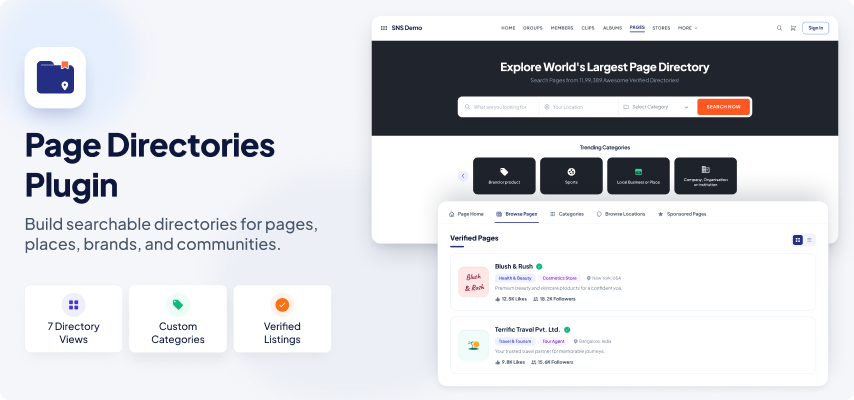
Page Directories plugin provide you all the features and tools to have robust, interactive and fully customizable directory system on your SocialEngine website. With this plugin you can create detailed and rich listing pages which can have page roles, photos, services, custom fields, multiple locations, multi-posting options, crossposting, post attribution, operating hours, members, price, linking with other pages, cover photo, profile photo, Page dashboard, etc. All the features can be configured from admin panel, so you can easily use this plugin to have your own niche directory as per your site’s concept and requirements.
With rich Global Settings, Member Level Settings, Page Creation Settings, Page Roles, Categories & Custom Fields, Configurable Page Dashboard, Manage Pages, Albums, multiple Widgets, Widgetized Pages, 7 attractive views, Pinboard, etc you can easily and quickly create robust page directory system. This plugin also has SEO settings to be configured for each directory listing which will enhance the search capabilities of your website in various search engines.
Page Directories Plugin Pages & Features
This plugins comes with various Pre-configured Pages. You can configure, enable / disable feature and pages to make it perfect for your website.
Pages
This plugin provides almost all the functionality which you will need to create directory on your website.
Easy creation of Pages, 7 View Types, Easy to manage Robust Dashboard, multiple locations, Page Roles, Insights & Reports, manage notifications, page advertisements, manage apps, etc features will enable you to have robust and very powerful directory system on your website.
This plugin is very thoughtful, robust and has many features that will help you create directories on your website.
Pages have very attractive, nice and elegant 7 design views to be chosen from. For all the views, various settings like height, width, count of Pages, etc are available in the Layout editor in admin panel.
Set Welcome Page as Landing Page
Welcome page of this plugin can be set as Landing Page of your website. This is helpful when you want a contest based social networking site. You can later configure page as per your requirements.
Page Main Menu Redirection
Page main menu can be redirected to – a) Page Welcome Page, b) Page Home Page, or c) Page Browse Page, so that you can easily configure the plugin as per your site’s idea.
Text for Pages
You can choose Text and URL for the word “page” and “pages”. You can use pages for any other purpose on your website easily like Restaurants, Projects, etc.
Photo Height & Width
You can choose the resize height and width for the photos being uploaded in the pages on your website to maintain the quality of photos.
Display Page Owners Name and Photo or Hide Their Identity
You can choose to display who created Pages on your website or simply choose to hide the identity of the owner of Pages.
Hide / Display Page Contact Details to Non-logged In Users
Pages can enter their contact details – Website, Phone number and Email Id. So, you can choose to hide / display these information to non-logged in public users.
Locations
You can choose to enable locations for Pages. These locations can simply be displayed or an attractive Get Direction popup can chosen to be displayed on their clicks from admin panel. You can also enable Multiple Location based on Member Level settings.
Page Feeds Display in Main Feed
You can choose to display the feeds Pages intelligently in the Main Feed on your website by enabling the feed display to users only from the Pages which they have Liked, Followed, Joined or marked as Favourite.
Integrate Like & Follow Buttons
Integrate the Like & Follow buttons of Pages such that when a user will Like a Page, then user will automatically Follow that Page and vice-versa. This will help you increase popularity of Pages on your website.
Allow to Enable / Disable Auto-Approval of Page Posts
You can choose to allow Page owners to enable or disable auto-approval of posts in their Pages. Doing this will enable them to moderate all posts made to their pages. This moderation can also be done by members who have permissions as per their Roles in Pages.
Receive New Page Alerts on Additional Emails
You can enter any number of emails to receive the alert updates of new Pages created on your website. This will help you receive updates on multiple emails without having to create a super admin or admin account with the emails.
Featured Pages
Pages can be marked as Featured on your website and can be highlighted in various widgets with Featured highlighting label and can also be shown as Popularity criteria.
Sponsored Pages
Pages can be marked as Sponsored on your website and can be highlighted in various widgets with Sponsored highlighting label and can also be shown as Popularity criteria.
Hot Pages
Pages can be marked as Hot on your website and can be highlighted in various widgets with Hot highlighting label and can also be shown as Popularity criteria.
Verified Pages
Pages can be marked as Verified on your website and can be highlighted in various widgets with Verified highlighting label and can also be shown as Popularity criteria. Verified Pages have more user trust and belief for the genuinity on a website.
Intelligently Displayed New Pages
Pages can be chosen to be shown as New on your website and can be highlighted in various widgets with New highlighting label and can also be shown as Popularity criteria. This label will be placed intelligently and can be automatically set to be removed after admin configured days from their creation date.
Page Of the Day
Pages can be marked as Page Of The Day on your website and can be highlighted in Page Of The Day widgets making it different from all the other Pages on your website. You can choose the start and end date for each page to be shown as Page Of The Day on your website, so that you do not have to manually remove them as of the day.
Favorite Pages
Users can be allowed to mark Pages on your website as their Favourites.
Follow Pages
Users can be allowed to Follow Pages on your website such that they will get all updates of the Pages they follow.
Join Pages
Users can be allowed to Join a Page on your website and become members of the Pages. You can enable / disable this feature from admin panel.
Follow Page Categories
You can enable users to Follow the Page Categories such that whenever a new Page is created in the Followed category, users will be notified via notification and email.
Page Services
Pages can have their own services which Page Owners can easily enter from their Dashboards. They can also enable / disable this Tab from their Pages.
Sharing Pages
Users can be allowed to share Pages within your website and on other social networking sites. They can also share the pages directly to their feeds or send the Pages in message to their friends on your website.
Reporting Pages
Users can be allowed to report Pages on your website. These reports can be easily seen by you from admin panel and appropriate actions can be taken from there only. Integrated with the SE’s core Abuse Report feature.
Approve / Disapprove Pages
Pages can be approved / disapproved to be shown on your website. From Member Level settings, Pages can be chosen to be auto-approved or manually approved.
Page Creation
Page Creation via Popup or Page
You can enable the creation of Pages via page or popup. Visibility of each field in the popup or page can be separately chosen. The creation via popup can help you in easy and quick creation or Pages on your website and thus can increase user engagement.
Choose Category Before Creating Page
You can enable users to choose the categories before showing the Page create form. Category selection in first step can be more better as users will see all profile fields based on the category selected and this seems more appealing look wise also.
Category Photo Display While Page Creation
There are 3 types of photos for categories in this plugin. The photos are differentiated based on their colors and size. You can choose to display any of these 3 photos while Page creation.
Create Page from Categories Only
You can choose to enable creation of Pages from the Categories View only like Facebook. If enabled, users will be able to fill the necessary information for Page creation from category boxes only.
Custom URL
Page owners can choose custom urls for their Pages and you can allow them to even Edit their custom urls from the dashboard of their Pages. This will help increase the SEO of your website as the custom url slugs are more SEO friendly.
4 Options For Page Profile Page Layout
There are 4 options to be chosen for the profile page layout of the Pages. You can choose to enable Page owners to select the profile page layout for their Pages based on their member levels. Each profile page has its own widgetized page, so you can configure them from admin panel easily.
Enable Page Joining & Membership
You can enable joining in Pages so that site members can become Members of Pages. You can also enable Page Owner to auto-join the page. If you use this plugin for Book Directories, then people you have read a book can be its members and can be called as Readers.
Allow Owners to Enable Joining
You can even allow Page Owners to choose to enable / disable joining in their Pages. This will be helpful when you have Pages of multiple types and some can have page joining and other do not. This makes directories on your website more usable and robust.
Membership Approvals
You can allow page owners to choose new members to immediately become members of their Pages or wait for their approval when new members join their Pages. If you do not allow Page Owners, then you can also choose default approval of members in Pages on your website.
Location
Pages can have Google suggested Locations based on the settings configured from admin panel. City, State, Zip Code and Country fields are auto detected based on location chosen which Page owners can edit. Venue and detailed address can also be entered for the location. Multiple locations can be entered from Dashboard.
Price
Pages can have their own prices. If you have a product based listing for the directory, then you can choose to show prices for them. But, if the directory is for businesses, restaurants, or any other thing where fixed prices are not applicable, then you can choose to show the Starting Price. Page Owners can also choose the price type – Price or Starting Price for their Pages.
Auto-Approve Posts
From the Global settings of this plugin, you can choose to allow Page Owners to enable / disable auto-approval of posts in their Pages. The feed will display on the posted date in their Page timelines regardless of whenever the post if approved. This feature will enable Page Owners from stopping spamming on their Pages.
Page Categories, Custom Fields and Make it Mandatory
Categories in Pages can be made mandatory, so that all the Pages on your website are associated with a category. This will help in better searching of the Pages on your website. When user does not fill the category, and try to save the contest, they will be scrolled to the category field with an error displayed to fill mandatory field without leaving the page. You can also choose to not make categories as mandatory.
Enable Page Description & Make it Mandatory
You can enable / disable the description of Pages on your website. If enabled, description can be chosen to be mandatory or not. If description is mandatory and user does not fill the description, and try to save the Page, then they will be scrolled to the description field with an error displayed to fill mandatory field without leaving the page.
Main Photo & Make it Mandatory
Main photo can be enabled / disabled based on the Member Levels on your website & if Main photo uploading is enabled, then you can also choose to make the main photo mandatory for the Pages on your website. If main photo is mandatory and user try to save the contest without uploading it, then they will be scrolled to the main photo field with an error displayed to fill mandatory field without leaving the page.
Create Page Form Type
You can choose the design of the Page Create Form or Popup to be Advanced design or SocialEngine default form design. Both the forms are fully compatible with all the 3rd party themes which have been developed following SE coding standards. Both forms will adapt the colors of your website as per the activated theme.
Guidelines
In the advanced design of the Page create page, you can enter some guidelines to create Page which will very nicely and attractively show in a Sticky box. This box will get stick to the right side of the create page even when users scroll down the Page create page. This will make the Page creation more attractive, easy, useful and user-friendly.
Redirection After Page Creation
Users can be redirected to Page View Page or Page Dashboard after their Pages are successfully created. This can be useful if you want quick Page creation on your website by keeping very fields in creation form & then redirect users to dashboard to complete all other details and information about their Pages.
Associated Sub Pages
Page owners can allow who can create Associated Sub Pages in their Pages. You can choose which all options should be available to owners based on their Member Levels.
Tagging Pages
Page Owners can enable other users to tag their Pages in their status updates.
Network Based Page Display
Page owners can choose the Networks to which their Pages will be displayed on your website.
Tags / Keywords
Each Page can have its own Tags / Keywords which will help in better searching of the Pages on your website. Already existing tags will show nicely via an auto-suggest box, so that you do not have redundant data on your website. These tags can be shown in attractive Tag cloud or Tag list on your website. Clicking on each tag will show Pages using the same tag. Tags also have their own Browse page for specific search of Pages. Integrated with SE Tags.
Page Invitations
You can enable invitation to Join, Like and Follow Pages on your website. You can also allow page owners to choose to enable / disable Invite feature for their Pages. This feature will help you increase the popularity of Pages among the members on your website as Page owners can get more audience for their Pages which in turn also increase user engagement on your website.
Page Dashboard
Page Directories plugin has a very robust and feature rich Dashboard. You can easily configure it from the Admin panel of your site. All the features can also be made available based on the Member Levels.
With Page Roles, you can choose to enable Page owners to give access to Dashboard of their Pages. Page Roles will only be able to access the features based on their Roles.
Page Dashboard Comprise of Manage Page, Page Promotions, Manage Apps, Page Directory Styling and Insights & Reports. All these sections are explained below.
Manage Page
Page Owners can edit their Pages and configure various features for their Pages from this section.Settings which can be configured for this section are:
- Edit Page
- Locations
- Contact Information
- Cross Post
- Page Roles
- Manage Notifications
- Post Attribution
- Operating Hours
- Category Based Profile Information
- Transfer Ownership
Page Promotions
Page Owners can configure the promotional settings in this section. The settings contain everything related to contacting Page members, advertising Page, managing Page, etc. Below is a list of settings in this section:
- Contact Page Members
- SEO
- Overview
- Linked Pages
- Advertise Page
- Manage Announcements
Manage Apps
Page Owners can easily manage what apps / tabs to show in their Pages from this section. They can also add Services to their Page. Features will here display based on the Member Level settings and dependent modules.
- Page Apps
- Services
Page Directory Styling
Page Owners can also configure the design for their Pages easily by uploading main photo, background photo, CSS styling and choosing the display of their Pages as in below settings.
Page Owners can also choose Cover photo from the Page View page.
- Main Photo
- Background Photo
- Design Views
- Css Style
Insights & Reports
Insights and Reports are very important for any business. So, this plugin provides Page Owners all the necessary tools to checkout the insights and reports of their Pages.
- Insights
- Reports
Page View Page
This plugin has very attractive 4 profile page design options. 20+ widgets to be placed on the Page View pages and configure different layouts for each profile page.
Attractive Cover Photo
You can choose to enable locations for Pages. These locations can simply be displayed or an attractive Get Direction popup can chosen to be displayed on their clicks from admin panel. You can also enable Multiple Location based on Member Level settings.
Page Main Photo & Vertical Tabs
Integrate the Like & Follow buttons of Pages such that when a user will Like a Page, then user will automatically Follow that Page and vice-versa. This will help you increase popularity of Pages on your website.
Profile Tips
You can choose to enable locations for Pages. These locations can simply be displayed or an attractive Get Direction popup can chosen to be displayed on their clicks from admin panel. You can also enable Multiple Location based on Member Level settings.
Page Announcements
You can choose to enable locations for Pages. These locations can simply be displayed or an attractive Get Direction popup can chosen to be displayed on their clicks from admin panel. You can also enable Multiple Location based on Member Level settings.
Crosspost
Crossposting is a way to share status feed across multiple Pages. Crossposting can only happen between Pages that have added each other. Page Owners can add other Pages on your website to their Page’s Crosspost. Once crosspost request is accepted by other when a Page owner post any update, then that post is posted from the Crossposted page as well. This increase more user engagement among users on your website.
Post Attribution in Feeds and Comments
With the “Post Attribution” feature, Page Owners can choose to post from activity feed and comments as the name of their Pages instead of their own names. Page admins and managers (created from Page Roles) can select default Attribution for Pages to post as Page Name or their own Names in Page Dashboards.
Multi Post – Post to Multiple Pages
Page Owners can choose an update to be post on multiple other Pages they own. This way, a single post can be made to display on other Pages and Sub Pages as well.
Contact Information
Page owners can add their Name, Email, Phone number, Facebook URL, Linkedin URL, Twitter URL, Website URL so that people can reach out to them and find their real existence. As per the settings from admin panel, these contact details are displayed to non-logged in users also. When non-logged in users will click to view the details, they will be smartly prompted to login into the site first.
Associated Sub Pages
Pages can have their own Associated sub pages which are also shown in a separate section. If a Page is an associated sub Page, then it shows the details about its Main parent Page very nicely.
Multiple Locations with Photos
Pages can not only have locations, but also multiple locations. Each location can have its title, address, venue, etc location details. Page owners can also upload multiple photos for each Page location.
CTA – Call To Action Button
Page Owners can configure CTA – Call To Action Button for their Page according to their Page concept and requirement. The process of adding CTA is very easy, smooth and user-friendly. Once CTA is added, when other users via the Page, the button works easily for them to with 1 click and as configured by Page Owner.
Page Services
Pages can add their Services which are very nicely and cleanly displayed on the Page profiles.Unlimited services can be added from the Page Dashboards with titles, descriptions, photo. Service rates can also be entered per hour or per minute duration.
Operating Hours
Pages can update their Operating hours. Working hours, holidays, always open availability or closed status – everything is shown on Page profiles.
Invite Members
Members of your website can invite their friends to Pages. All invited members will receive an invitation to checkout the Page and they can then Like, Join, Favourite and Follow the Pages. This will increase user engagement on your website.
Rich Admin settings
Global Settings
- Can Set Welcome Page as Landing Page.
- Select Welcome Page Visibility.
- Can Set Page Main Menu Redirection.
- Can Set Singular & Plural Text for “page-directories” in URL.
- Can Set Singular Text for “Page Directory” & Plural Text for “Page Directories”
- Display Page Owners Name and Photo or Hide Identity
- Can Set Large and medium Photo Height & Width
- Display Contact Details to Non-logged In Users
- Enable Location and make it Mandatory
- Can Set Proximity Search Unit and enable Get Direction Popup
- Can Set Page Feeds Display in Main Feed
- Can Allow to Share, Favorite, Report and Follow Pages
- Integrate Like & Follow Buttons
- Allow to Follow Categories
- Allow to Enable / Disable Auto-Approval of Page Posts
- Set Default Photo for No Page Tip
- Set Menu Items Count in Main Navigation
- Receive New Page Alerts
Page Creation Settings
- Create New Page through Page or Popup or through icon
- Show “Create New Page” Icon
- Choose Category Before Creating Page
- Choose Redirection After Page Creation
- Create Page Form Type
- Select Auto-Open Advanced Share Popup
- Edit Custom URL
- Can Make Page Categories Mandatory
- Enable Page Description, make Page Description and Main Photo Mandatory
- Enable Tags and Page Joining
- Allow Auto-Join Page and allow Owners to Enable Joining
- Select Member Approval Options
- Set Member’s Title and make it mandatory
- Enable Invitations in Pages and allow Owners to Enable Invites
- Enable “People can search for this Page” Field
- Enter Page Creation Guidelines
Member Level Settings
- Allow Viewing, Creation, Editing, Deletion and Commenting of Pages.
- Select Page View Privacy and Comment Options.
- Select Associated Sub Page Creation Options.
- Allow to choose “Page View Privacy Based on Networks”
- Enable Price and make it Mandatory
- Allow Owners to Select Price Type
- Allow to Claim Pages, Add Linked Pages,Add Multiple Locations, Manage “Operating Hours” and “Close Page”
- Enable Crossposting, Contact Page Members
- Allow to Upload Page Main and Cover Photo
- Allow to Choose Page Profile Design Views
- Select Page Profile Designs
- Add Watermark to Page Main and Cover Photos
- Set Default Main and Cover Photo for Page
- Allow to Create Associated Sub Page
- Option to select Auto Approve Pages
- Automatically Mark Pages as Featured, Sponsored, Verified, Hot
- Automatically Mark Pages as New and set its duration
- Enable SEO Fields, Overview
- Enable Post Attribution in Pages (Post as Page Name)
- Allow to Choose Post Attribution in Pages
- Allow Post Attribution Switching in Status Updates, Likes & Comments
- Enable Background Photo, Contact Info, Enable Page Report & Insight, Edit Style and Page Service
- Allow Albums Upload in Pages and its options
- Maximum Allowed Pages and Albums
- Allow to “Add a Button”and Join Pages
- Allow to Manage Announcements, Page Roles, Transfer Ownership and View Insights & Reports