
About
Questions & Answers are very important for any business, e-commerce shop or an online community as these helps users ask about their queries and get instant answers by not only the website administrators, but also the other users of website. In addition to questions about site, users can ask general questions, code related questions, country, city or questions related to some specific location.
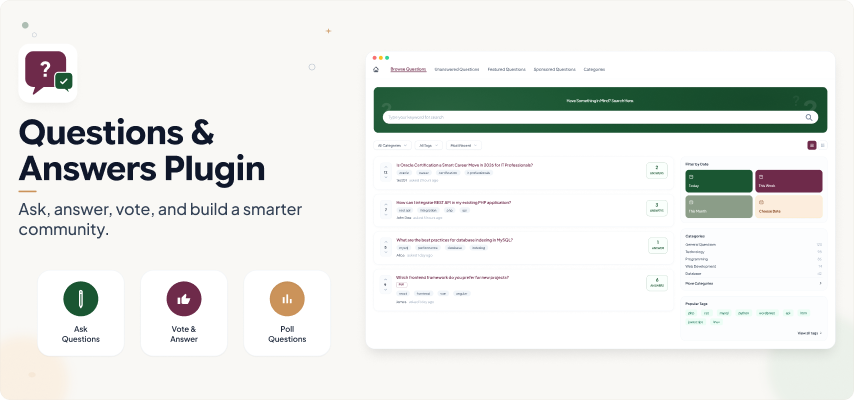
This Question & Answer plugin is a very powerful and robust plugin that enables your users to Ask Questions and get Answers which builds a complete Question & Answer system for your Socialengine site. You can have question and answers for your website or any specific idea as per your requirements. With the URL and Text change capabilities of this plugin, you can use it for multiple purposes.
With this plugin users can not only answer questions, but can also upvote / downvote questions and answers and choose a best answer for their questions on your website. Possibility to add Poll Questions highly increases the usability of this plugin to server all your purposes related to anything Question & Answers.
Unlimited Questions
Users can create Unlimited Questions, Submit Answers, Search and Filter, Edit or Delete questions by their Categories and Tags on your website.
These Questions can be if two types:
- Textual Descriptive Type
- Poll Type
Questions can be filtered as:
- Recently Created Questions
- Unanswered
- Answered
- Open Questions
- Answered Lately
- Closed Questions
- Followed Questions
- Most Liked Questions
- Featured Questions
- Sponsored Questions
- Hot Questions
Unlimited Answers with Best Answer Option
User can post various Answers to numerous questions posted on your website. Any visitor can post answers to these questions which are then voted on by the community until a “correct” answer is not received.
Also the Asker has the option to choose an answer as the best one.
Answers can be filtered as:
- Most Answered
- Best Answer
- Favourite
- Liked
- Featured
- Followed
Voting on Questions & Answers
- Other feature of this Plugin which make it more useful and active is Voting On Questions and Answers.
- You can allow your users to submit their votes for the Questions and their Answers on your website.
- Users are also allowed to change their vote for the Answer/Answers which they have submitted earlier.
2 Question Types – Descriptive Text & Poll
Users are allowed to ask Questions in two different ways on your website. It can be:
Textual Descriptive Type Question
If you want to ask question with the help of simple textual description, then you can use two type of Text Editors in this case:
- WYSIWYG Editor
- Simple Text area
It will provide users all the tools they want for writing description for any Question.
Poll Type Question
- Also you can allow your users to Ask Question with the help of ‘Polls’ on your website.
- This setting can be enabled from the question Creation Settings located in the Admin Panel.
- You can also let your users to choose multiple options while creating Poll Type Question on your Website.
Photo / Video Media Attachments
Instead of just simple Textual Questions, you can allow your users to create Questions by attaching the two Media types also with them which make these questions more representable and easy to grasp. These attachments can be Photo or Video
Just go to Question creation settings in Admin Panel if you want to enable these attachments.
Favourite Questions
Users can be allowed to mark Questions on your website as their Favourites.
By marking any Question as favourite they will get all the updates related to that question when anyone submit answer for it or perform any other action.
5 Highlighting Labels
With this plugin you can provide highlighting Labels for the Questions which get displayed at various widgets and pages on your website.
Featured Questions
Questions can be marked as Featured on your website and can be highlighted in various widgets with Featured highlighting label & can also be shown as Popularity criteria.
Sponsored Questions
Questions can be marked as Sponsored on your website and can be highlighted in various widgets with Sponsored highlighting label and can also be shown as Popularity criteria.
Hot Questions
Questions can be marked as Hot on your website and can be highlighted in various widgets with Hot highlighting label and can also be shown as Popularity criteria.
Verified Questions
Questions can be marked as Verified on your website and can be highlighted in various widgets with Verified highlighting label and can also be shown as Popularity criteria. Verified Questions have more user trust and belief for the genuinity on a website.
Question of the Day
Questions can be marked as Page Of The Day on your website and can be highlighted in Page Of The Day widget. You can choose the start and end date for each question to be shown as Question Of The Day on your website.
Intelligent ‘New’ Label
- Questions can be chosen to be shown as New on your website and can be highlighted in various widgets with ‘New’ highlighting label and can also be shown as Popularity criteria.
- This label will be placed intelligently and can be automatically set to be removed after admin configured days from their creation date.
- When users want to browse the questions at your website, then this Label will get displayed to them with the question.
Location for Questions
- With this Plugin you are allowed to enable and enter Location for the Questions your users have created on your website.
- You can easily enable it from Global Settings in Admin Panel of this Plugin.
- Unit for proximity search in ‘Miles’ or ‘Kilometers’ for Location of the questions can also be choose for this plugin.
Tags
- Your users are allowed to add Tags to your questions for better filtering while creating questions.
- This setting can be enabled from Global Settings in Admin Panel.
- We have also provided the Tags Widget for this plugin which you can place at any page and after clicking on the tags in it, your users get redirected to the Tags Page automatically.
Categories
- Categories / 2nd-level categories / 3rd-level categories: Questions in this plugin supports upto 3 levels of categories. You can easily create other Sub categories for your previous Parent Categories.
- Adding New Category: Each category will have its own Name, Slug, Title, Color, Member Level, Description & 3 type of icons.
- Categories in Icons or images: Categories can be displayed in Circular or Square view on your website with their icons or images. These icons and images are uploaded from the admin panel for each category.
- Description for Categories: You can also add descriptions for the categories which you have created for Questions.
Configurable URL and “Question” Text
Configurable URL
- URLs can be configured from the Admin Panel for the Questions your users have created.
- They are configured on the basis of Singular or Plural Text in URL instead of “Question” or “Questions” text which you want to enter for the Questions in this plugin.
- These URLs will get displayed to the users at the time of searching for the questions.
Configure “Question” Text
- From this setting you can enter the text which you want to show in place of “Question” or “Questions” at various places in this plugin like activity feeds, search form, Navigation Menu etc.
- These text are also configured on the basis of Singular or Plural Text.
Advanced Search
This plugin provides you the Advanced searching option for the Questions your users have created on your website. You can search them by placing the “Question Browse Search” Widget at any page where you want. You can do searching based on the following fields:
- Keyword
- Browse By
- View Criteria
- Category
- Date Rage
- Location(in Miles or Kilometers)
Notifications and Email System
Seamless Integration with SocialEngine’s Notification and Emails system and for all important actions members on your website will get Notifications & Emails. In Questions & Answers Plugin, Mails and Notification will send to the users for the following updates on questions:
- When a new Question is created
- Any Question gets approved.
- When someone answered a Question.
- When any answer marked as Best.
- When someone follow your Question.
- When an answer is voted.
- New answer on the question you follow and so on……
Robust Admin Panel
This plugin has a very powerful Admin Panel which provides various settings to enable / disable for almost all the options. We have provided a rich set of settings. Writing about admin panel would be too short for this plugin, so we have created Screenshots of all the sections in Admin Panel.
Global Settings
Global Settings allows you to enable various settings for this plugin such as Sharing, Reporting for Questions, Auto approval of Questions, enable location for questions and many more…
Manage Questions
This section will list all the Questions your users have created on your website. Admin is allowed to mark any question as Featured, Sponsored, Hot, Verified or Of the Day from here. You can also search for any specific question by entering the searching criteria into the filter fields.
Member Level Settings
Rich Member level Settings which enables members to View, Create, Edit, Delete, Comment, Vote for Questions on per member level basis.
Various Privacy settings for viewing and commenting on Questions & Answers can be configured from here also.
Create Questions Settings
You can configure various settings for the creation of Questions by other users on your website. From here you can enable Media Types, Tags, Category, Poll Creation and so on…
Categories
You are allowed to add new 2nd & 3rd level Categories to the Parent Categories for your Questions. Your users can choose theses categories at the time of creation of questions on your website.
Widgetized Pages
This section will contain all the Widgetized Pages correspond to the User Pages of this Plugin.
From here, you can directly access these pages.