
About
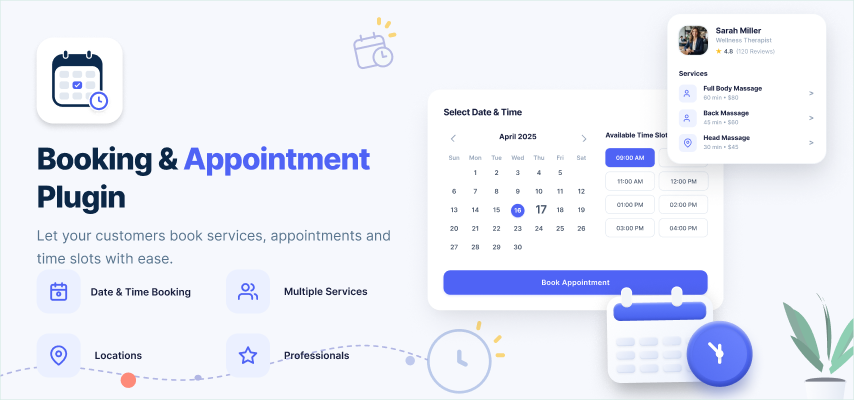
Booking & Appointments Plugin help you in adding a complete appointment booking system to your website. Through the settings of this plugin, you can easily let your users to become Professional Service Provider and can create numbers of services, avail services and book services for a normal user whereas a normal user can book services only. Also Professionals can change their Profile back to normal user by clicking on disable button under Settings section. With Booking Appointments, Professionals can easily configure Calendar Settings by adding working days & hours with the available time slots for the services created by them. When setting up the system, you can choose to enable multiple service providers, who can each have their own settings for accepting appointments. This is a very useful feature if your website has been created for a business or team project.
Hairdressers, doctors, business consultants and all of those who can benefit from a booking system for travels, items or dates should try it out!
What Is The Need Of This Plugin?
- This Plugin allows you to add a Professional Online Booking Management System into your SE based website. Your users can book appointments for the services provided by the Professional Service Providers.
- Allow your customers to book appointments for the services without leaving your website. Sell overnight bookings, tickets, tours, hotel, clinic appointments etc.
- It can be used to create & manage all types of booking services. It enables you to provide time or date based bookings. Allow customers to book faster by searching services via Browse Service Page.
- Another useful feature of this plugin is the easy way users can add multiple services. This gives you the ability to offer a range of services from your website, allowing your visitors to choose which ones to book.
- You also get a good amount of control over which hours and days are available for taking appointments, including the ability to add custom off days.
- Smartphone users will find that the responsive design of this plugin makes booking an appointment on the go and hassle-free experience.
Key Features
Unlimited Bookable Services
- By using this plugin, you can allow your users to become a Professional and can create unlimited services which interested users can book or avail anytime they want on your website.
- If you want to limit the creation of services by the users, then you can do it based on the different Member levels from the Admin Panel of this Plugin. Also booking to be availed by the different Member levels can be done.
Calendar Settings for Booking
Using this Plugin you can configure the booking slots for various services according to your requirements and needs:
- Here, Service Provider can create the booking slots for various services which will be shown to the users.
- They can create the different slots for different days of the week (Monday – Sunday).
- They can also set the Start and End Time of any service according to their availability.
- If any of the service provider is not available, then they can take “day off” which will automatically removes all their slots for that day.
Configurable Service Durations
- Service Provider can configure the timing for the services while creating any service.
- They can set the timing for their services according to the time slots created for bookings which will prevent the loss of time for the Service Provider.
Enable Location
- From the Admin Panel, Admin can enable and disable the location settings for Professional.
- Using this settings, professional can provide his users with their location, so that users can easily find and can choose the nearby locations for any service.
- If Admin has disabled the locations for Professionals then, they doesn’t able to share their location with the users.
Booking Based Calculations
Using this Plugin, users can easily check the total duration of services taken by them and accordingly the total amount to be payable to the service provider before booking any services:
- With the help of these settings, users can see the calculated duration along with the total amount of service.
- It will saves the time of users with its easy and feasible calculations which helps users to understand the process easily.
Services booked by Professional
Using this Plugin, users can easily check the total duration of services taken by them and accordingly the total amount to be payable to the service provider before booking any services:
- You can allow your users who had become Professionals to book their services on behalf of other users.
- For “Professionals to book services” settings, you can give them right for booking the services for “Everyone” or their “Friends Only” which will help them to spread their services easily.
Professional – Like, Favourite, Follow & Report
- Site- Owner can allow their users to Like the Professionals.
- You can enable / disable the settings for making the Professional as Favourite.
- You can allow your users to Follow the Professionals which they want to.
- You can allow your users to Report against any of the Professional.
Services – Like, Favourite & Share
- Admin can enable / disable the settings for “Like” any of the Services by the users.
- You can allow your users to make any Service as their Favourite which will help them for recognizing them easily.
- You can enable / disable the “Report” option for the users.
Categories
- Admins can create Parent categories, 2nd-level categories and 3rd-level categories for services which allows you to easily categorize services into various Parent categories, 2nd-level categories and 3rd-level categories of your choice.
- You can add various options for Categories like their Icons, Coloured Icons, Thumbnails, Description, Category Own Slug.
Review & Ratings
- Members can give review and rate for Services created by the Professionals on your website.
- Various Settings can be enabled / disabled for reviews for his own Services.
- While creating any review for the Services, you can give Pros and Cons, Description and Recommended Option.
- Reviews can be Shared and Reported.
Manageable Services
- From the Admin Panel, you can easily manage all the Services which were created yet by the users.
- You can enable / disable any of the services from here.
- You can also search for any particular services from this section by entering the required fields in the search filters.
Manageable Professionals
- The Professionals created by the users can be easily managed from the Manage Professional section of this Plugin.
- You can enable / disable any of the Professional from this section.
- Admin is enabled to search any Professional by entering the fields into the search filter under this section.
Manageable Durations
- From this section, you will create the Durations for the Bookings from which Service Provider will select the slots according to their Services.
- You can create as many as durations you want for the ease of your Service Providers.
- You can create the durations in two formats i.e. on hourly basis or on minutes.
- From this section only, you can enable / disable the durations created by you.
Appointment Details
From this section, Admin can view all the Appointments created by the different Users with all the details like Service Provider Name, User Name, Service Name, Date, Start Time, End Time and Status of the Appointment.
Member Level Settings
Member Level Settings are used to restrict features for certain member levels which will be decided by the site owner:
- Users are allowed to View, Edit, Delete on the Bookings.
- Also users are allowed to set View Privacy options based on the Member levels for the Bookings, Professionals and Services.
- Here, Admin can set Maximum Allowed Bookings and Creation of Services based on the Member Level Settings from the Admin Panel of this Plugin.
Service Photo
- You can add default service photo for different member levels through Member Level Settings.
- With the help of this setting, users can easily differentiate the services among different Member Levels.