
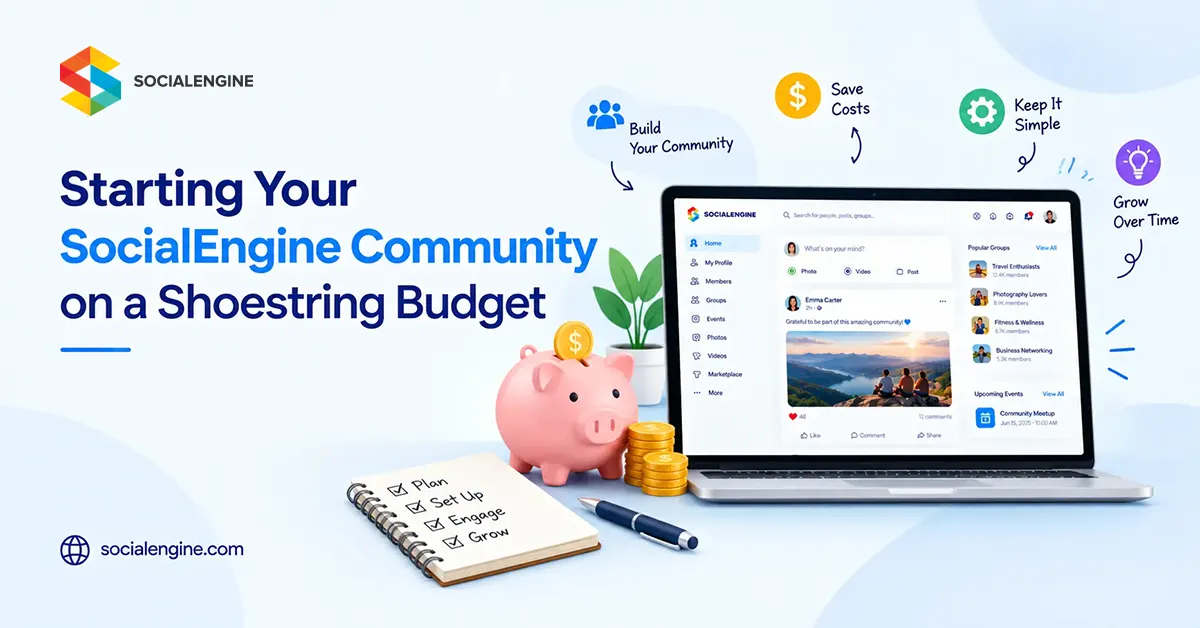
You do not need a huge budget to get an online community off the ground. What you need first is a clear idea, a useful reason for people to join, and a sensible plan for where your money goes.
The Cheapest Community Is Not Always the One With the Lowest Price
It is tempting to compare platforms by their starting price alone. But a low monthly fee can stop looking cheap when you have to buy separate tools for email, memberships, content, events, analytics, messaging, hosting, or other basics.
A better approach is to work out your minimum viable community: the smallest version of your SocialEngine website that can deliver a genuinely useful experience to your first members.
1. Decide What Your Community Actually Needs
Before spending anything, write down what a member should be able to do on day one. Keep the list short.
2. Start Small Instead of Trying to Look Big
A new community with 20 active members can feel far more alive than one with 2,000 empty profiles. Your first job is not to make the website look enormous. It is to make the first group of members feel that joining was worthwhile.
Create a handful of useful discussions. Add several pieces of original content. Set up the groups that your audience will actually use. Invite people personally. Then watch what they do.
3. Use the Features You Already Have Before Buying More
We include community and administration features such as member profiles, activity feeds, posts, comments, likes, messaging, groups, permissions, moderation, content management, and monetization tools.
The current feature set also includes a theme editor, widget management, SEO-friendly URLs, email marketing, member levels, privacy controls, anti-spam features, and payment integrations.
4. Be Selective About Plugins
Plugins can be a smart way to add functionality without commissioning custom development for every idea. But do not install plugins simply because they exist.
A good rule is simple: add a plugin when it solves a real member problem, not because it makes the feature list look longer.
5. Spend Your First Budget on Activity, Not Decoration
A polished theme is nice. A community with nothing happening is not.
If money is tight, prioritize things that make the platform useful: initial content, onboarding, moderation, basic branding, reliable hosting, and outreach to your first members.
You can refine colors, layouts, graphics, custom development, and advanced functionality as the community starts proving what it needs.
6. Promote It Without Burning Through Your Budget
Paid advertising is not the only way to get your first members. The original guide recommended word of mouth, asking friends and family to participate, publishing useful content, and contributing to relevant forums, blogs, and social groups without spamming them.
That advice is still practical. The key is to participate because you have something useful to contribute. Dropping the same promotional link everywhere rarely creates the kind of trust an online community needs.
7. Let Your Content Do Some of the Marketing
Useful content can help your community get discovered while also giving existing members something to discuss.
SocialEngine supports content creation and SEO-friendly site management, while its blog functionality can give members or administrators a place to publish longer-form content. That creates an opportunity to build a library around the questions, problems, and interests your community is actually about.
8. Keep SEO Simple at the Beginning
You do not need an enormous SEO project on day one. Start with the basics: make important pages crawlable, write useful titles and descriptions, use clear URLs, publish genuinely helpful content, and avoid creating dozens of thin pages just to target keywords.
Your keyword strategy should follow your community’s purpose. For example, if you are building a professional community, content around industry questions and member expertise is likely to be more useful than forcing the phrase “online community platform” into every paragraph.
9. Choose Your Hosting Model Carefully
Budget planning also means deciding how much technical work you want to own.
SocialEngine currently offers both cloud and self-hosted options. Its Cloud plans currently start at $49 per month for the Development tier, while the Self-Hosted plans listed by SocialEngine start at $199 for the Essential package. Pricing and package contents can change, so verify the current plan details before purchasing.
10. Create a Simple Launch Budget
Instead of setting a large budget and trying to spend it, divide your available money into a few practical categories.
When Should You Spend More?
Spend more when you can point to a specific problem that the investment will solve.
Members need a missing feature. Your current hosting cannot comfortably handle growth. Manual administration is taking too much time. A plugin or integration will remove a genuine bottleneck. Or your members are asking for a paid experience that you can support.
This approach keeps your community development tied to evidence instead of assumptions.
How to Monetize a Community Without Spending Heavily First
You do not need to monetize everything from the beginning. First establish why people value the community. Once there is real engagement, you can test models such as paid memberships, subscriptions, advertising, paid content, or other community-based offers.
SocialEngine currently supports membership plans, subscriptions, advertising, payment integrations, paid content, and other monetization options. That gives you room to experiment as the business model becomes clearer.
Common Budget Mistakes to Avoid
Buying too many features too early: start with the features your members will use immediately.
Spending heavily on design before validation: get the core experience working first.
Paying for traffic before creating activity: give new visitors something useful to discover.
Ignoring maintenance: keep some budget aside for updates, support, hosting, and unexpected work.
Choosing tools that do not work together: look at your total technology cost, not individual sticker prices.
The Real Shoestring-Budget Strategy
Starting on a small budget does not mean building a cheap-looking community. It means being deliberate.
Give people a clear reason to join. Make the first version easy to understand. Publish useful content. Talk to your early members. Use the features you already have. Add plugins and custom work only when they solve a real need.
The goal is not to spend as little as possible forever. The goal is to spend wisely enough that your community can earn the right to grow.
What to Include in Version One
- Create a profile
- Post and interact
- Join relevant groups
- Send messages
- Find useful content
- Receive important notifications
Low-Cost Promotion Ideas
- Personal invitations
- Word of mouth
- Useful blog content
- Relevant forums and communities
- Partnerships with complementary audiences
- Email outreach to an existing audience
A Lean Launch Plan
- Week 1: Define the audience, purpose, member roles, and essential features.
- Week 2: Set up branding, navigation, permissions, and initial content.
- Week 3: Invite a small founding group and start conversations.
- Week 4: Review actual usage and decide what deserves the next investment.
Cloud vs. Self-Hosted at a Glance
| Option | What You Manage | When It Can Make Sense |
| SocialEngine Cloud | Less infrastructure and server management | You want a predictable starting setup |
| SocialEngine Self-Hosted | Hosting, server environment, and more infrastructure decisions | You want greater control over the hosting environment |
Frequently Asked Questions
Yes. A lean launch can focus on the core member experience, useful content, basic branding, and direct outreach before adding more advanced features.
SocialEngine can be used for communities at different stages. A practical approach is to begin with the functionality your audience needs and expand as the community grows.
Start with personal invitations, word of mouth, useful content, relevant online discussions, partnerships, and existing audiences. Avoid spammy promotion.
No. Choose plugins based on real community requirements. Adding fewer, useful tools can make the platform easier for new members to understand.
The choice depends on how much infrastructure control and technical responsibility you want. SocialEngine currently offers both approaches.
Possible models include memberships, subscriptions, advertising, paid content, and other transactions or services that fit the community’s purpose.